


Coloring and Learn screenshots (9)






Description Coloring and Learn
What Defines a Comprehensive Digital Coloring Experience for Young Users?
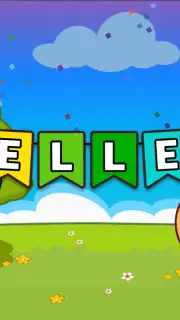
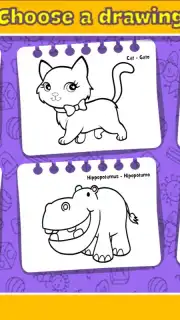
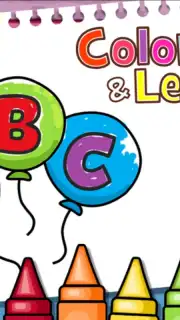
Coloring and Learn, developed by Orange Studios Games, presents a structured digital environment for creative expression, categorized under children's games. The application version 2.16 provides five distinct activity modes designed to engage different aspects of early learning and motor skill development. The primary mode offers a library of pre-drawn illustrations sorted into educational categories such as animals, numbers, and basic shapes for coloring. A separate free-draw canvas mode supplies digital markers and tools for original artwork creation. Additional interactive modules include a bubble-popping game that rewards users with virtual animal plush toys, a simple drum kit for auditory play, and a special effects drawing tool that utilizes responsive visual mechanics.
Core Functionality and User Interface Analysis
The application operates on a selection-based system where users choose an image, a specific color palette, and a drawing tool type, such as a pencil or brush with variable tip sizes. An integrated eraser function allows for the correction of any stroke, enabling users to restart sections or entire compositions without penalty. Upon completion, each artwork can be saved directly to the device's local storage. The sharing feature is gated behind a two-step process requiring an adult to navigate the final prompt, adding a layer of oversight for external data transmission. The absence of third-party advertisement displays during core gameplay is noted, with promotional content for the developer's other services or a premium "Turbo" version being presented in designated areas.
Feature Set and Practical Application
- Multi-Category Coloring Book: Access a structured library with dozens of illustrations in themed groups like animals and numbers, focusing on recognition and color theory.
- Open-Ended Creation Studio: Utilize a blank canvas with configurable digital markers, brushes, and an eraser to foster original drawing and compositional skills.
- Interactive Mini-Game Suite: Engage with supplementary activities including bubble popping for rewards, a basic drum simulator, and magical effect drawing tools for varied play.
The software positions itself as a tool for creative exploration within a controlled framework. The mechanics are designed to be intuitive for young children, relying on touch-screen gestures for all interactions. The value proposition hinges on providing a safe, contained digital space for artistic experimentation without the clutter of unrestricted internet access or social features.
Limited Offer: Download Coloring and Learn today to unlock the full creative suite. Exclusive access to all current drawing tools and categories is available for new users upon immediate installation.
Disclaimer: An internet connection may be required for initial download and certain optional functions. This application may contain in-app purchases for additional content or features. Please be aware of data usage charges from your provider. Parental guidance is recommended to manage sharing features and overall usage. Content is generally suitable for all ages.
Information
| Version | 2.28 |
| Developer | Orange Studios Games |
| Requirements | Android Android 6.0+ |
| Updated | 11.09.2026 |
| Size | 104.42 MB |
| Package | com.orange.coloring.learn.kids |
| Signature | 63d3cd3a265d8023ff5d623a670d363feaed3fef |
| Architecture | armeabi-v7a |


