


CS16Client screenshots (2)
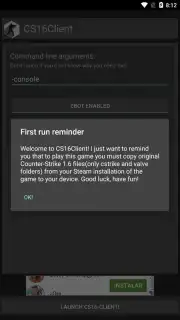
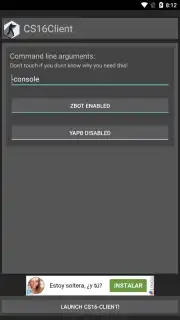
Description CS16Client
Your Pocket-Sized Counter-Strike Arena Awaits
Remember the classic thrill of Counter-Strike 1.6? The precise gunplay, the tense defusal scenarios, the iconic maps that defined a generation of shooters. That experience is no longer chained to your desktop. Imagine carrying that entire world in your pocket, ready for a match anytime, anywhere. CS16Client transforms your Android device into a portable gateway to that legendary action, leveraging the powerful Xash3D FWGS engine to faithfully recreate the game you remember. This is not a simplified mobile imitation; this is a dedicated client designed to bring the authentic PC classic to your touchscreen or Bluetooth controller.
Experience Classic Tactical Combat On the Go
CS16Client serves as a specialized portal, giving you direct access to the complete Counter-Strike 1.6 game logic and assets on your mobile device. The application itself is streamlined and focused, providing a clean interface to launch into the heart of the game. For the optimal experience, using a Bluetooth gamepad or keyboard is highly recommended, giving you that familiar, tactile control over your movement and aim that made the original so compelling. The setup process is a straightforward bridge between your existing Steam library and your phone, ensuring you can play with the content you own.
Key Features and Setup Guide
CS16Client delivers the definitive mobile Counter-Strike 1.6 experience by working with the assets from the original game. Here is what you get and how to begin.
- Authentic Game Engine: The app utilizes the robust Xash3D FWGS engine (also available separately), which is built to accurately run the classic Half-Life and Counter-Strike game code on modern Android systems.
- Full Game Experience: This client allows you to play the complete Counter-Strike 1.6, including all official maps, weapons, and game modes, provided you supply the necessary game files from your legal PC copy.
- Enhanced Control Schemes: While touch controls are available, the experience is significantly enhanced with peripheral Bluetooth devices. Connect a compatible gamepad or keyboard for precise, console-like control that matches the pace of the original game.
- Ad-Free Environment: Enjoy uninterrupted tactical gameplay with no advertisements cluttering your screen or disrupting your matches during sessions.
- Simple File-Based Setup: Installation involves a clear, file-management process. After installing both Xash3D FWGS and CS16Client, you copy the 'cstrike' and 'valve' folders from your legally owned PC installation of Counter-Strike into a created 'xash' folder on your device's storage, then point the client to that location.
Claim Your Mobile Advantage Now
Stop just remembering the classic firefights of Dust2 and Aztec. Start living them again during your commute, on a break, or anywhere you have your phone. CS16Client puts a timeless PC gaming masterpiece directly in your hands. Download CS16Client now and deploy into action.
Download game now
Disclaimer: This application requires a pre-existing, legally obtained copy of Counter-Strike 1.6 on PC to function. A stable internet connection may be required for initial setup and file transfer. The app itself contains no in-app purchases.
Information
| Version | 1.35 |
| Developer | Flying With Gauss |
| Requirements | Android Android + 4.4+ |
| Updated | 17.03.2026 |
| Size | 57.78 MB |
| Package | in.celest.xash3d.cs16client |
| Signature | e4d0e6165e6e1283210338be88569a69 |
| Architecture | armeabi-v7a, x86, arm64-v8a, x86_64 |


