

ExaGear: Windows Emulator screenshots (13)
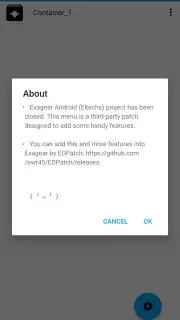
Description ExaGear: Windows Emulator
Imagine having a classic PC game from your childhood, one that defined an era of gaming, sitting untouched in a digital library because your modern devices can’t run it. Now, consider the possibility of carrying that entire experience in your pocket, launching it directly on your Android phone or tablet. This is the core proposition of ExaGear: Windows Emulator, a specialized utility that bridges the architectural divide between desktop Windows software and mobile ARM-based hardware. It provides a functional Windows-like environment, allowing for the execution of legacy applications and games that would otherwise be inaccessible on a mobile platform.
Technical Execution and Core Functionality
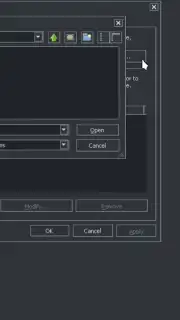
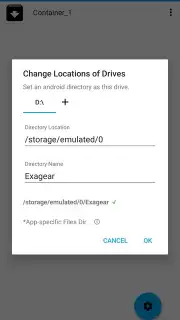
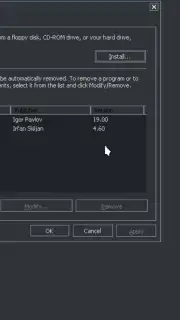
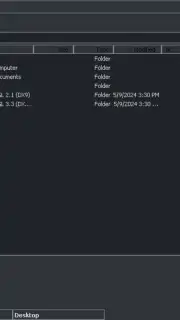
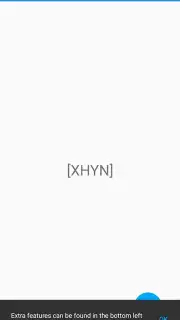
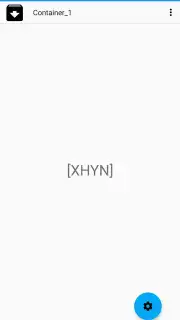
ExaGear: Windows Emulator operates not as a full virtual machine, but as a sophisticated translation layer. It dynamically interprets x86 instructions—the language of traditional Windows software—and converts them into commands that an ARM processor, the standard in Android devices, can understand and execute. This method of binary translation is inherently more efficient than full hardware emulation, resulting in significantly better performance and responsiveness for compatible software. A critical technical limitation to note is that the emulator is designed exclusively for 32-bit (Win32) applications; 64-bit Windows programs are not supported within this environment. Upon launching, the interface presents a clean desktop environment with several pre-installed utilities, such as 7-Zip for file compression and IrfanView for image viewing, demonstrating immediate practical utility.
Software Compatibility and Use Cases
The range of compatible software is extensive, though it is focused on older and less resource-intensive titles and applications. For productivity, users can run versions of Microsoft Office, the image editor GIMP, or media players like VLC and Winamp. The gaming library is a notable highlight for enthusiasts of classic PC titles. Compatible games include seminal works such as Half-Life, Diablo II, Fallout 2, and Age of Empires II. It is important to manage expectations; this emulator is not intended for running modern, graphically intensive AAA games. Adding new software is straightforward: users simply navigate to and execute the standard .exe installer file within the ExaGear environment, and the application will install to its virtual desktop.
Input Methods and Control Scheme
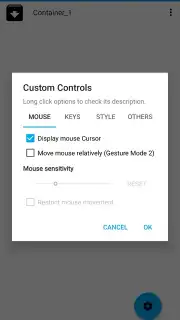
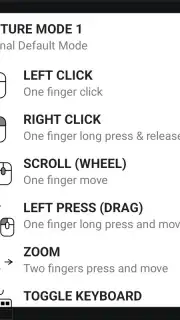
The emulator offers versatile control options tailored for a mobile experience. A detailed tutorial screen upon first launch explains the comprehensive touch controls. A single tap performs a left mouse click, while a tap-and-hold gesture executes a right-click. The interface also supports multi-touch gestures for scrolling, zooming, and dragging windows. A virtual keyboard can be summoned at any time for text input. For users seeking a traditional desktop feel, ExaGear fully supports external peripherals. Connecting a physical keyboard and mouse via USB OTG or Bluetooth transforms an Android tablet or phone into a compact workstation, allowing for precise control ideal for strategy games or productivity tasks.
Key Features of the Emulator
- x86 instruction translation layer
- Launch standard Windows .exe files
- Comprehensive touch and peripheral controls
- Pre-installed utility software suite
For users with a library of classic Windows software or a need to run specific legacy utilities on a mobile device, this emulator presents a unique technical solution. Consider downloading ExaGear: Windows Emulator to explore its capabilities with compatible software.
Download game now
Internet required. IAP available.
Information
| Version | 3.0.2 |
| Developer | XHYN-PH |
| Requirements | Android Android + 5.0+ |
| Updated | 17.03.2026 |
| Size | 261.94 MB |
| Package | com.EGW302.BenchMark |
| Signature | e89b158e4bcf988ebd09eb83f5378e87 |
| Architecture | armeabi-v7a |


