

Flightgear PFD screenshots (1)
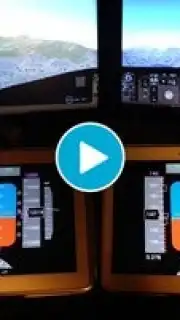
Description Flightgear PFD
Ever feel the itch to take control, to look down at a real aircraft's Primary Flight Display and know exactly what every single dial, tape, and number means? That moment when you're not just a passenger, but the one with the knowledge.
Your Personal Flight Deck, Mastered
Flightgear PFD transforms your device into a fully functional, high-fidelity Primary Flight Display, directly linked to the open-source FlightGear flight simulator. This isn't just a static image or a simple gauge app; it's a real-time portal to your aircraft's soul. Watch as every control input you make in the simulator is reflected with pinpoint accuracy on your screen. See your airspeed tape move, your artificial horizon bank, and your altitude readout change in real time. It’s the ultimate second-screen experience that deepens your immersion, turning a great simulation into a truly professional-grade cockpit setup.
Why Your Sim Experience Needs This
- True Instrument Replication: Interact with a display that mirrors the exact functionality and layout of a real PFD. Every indicator, from the vertical speed tape to the heading bug, works as it should, giving you authentic instrument scan practice.
- Seamless Wireless Integration: Connect effortlessly over your local network. Once linked, your device becomes a powerful external instrument panel, freeing up screen real estate on your main simulator and placing critical flight data right in your hands.
- Crystal Clear, Customizable Display: Designed for readability at a glance. The visuals are sharp, the colors are aviation-standard, and the data presentation is uncluttered. Adjust settings to match your preferred aircraft or lighting conditions for a perfect view.
- A Vital Training Aid: Whether you're a flight sim enthusiast aiming for realism or a student pilot looking to reinforce instrument procedures, this tool bridges the gap between game and practice. It makes learning complex instrument relationships intuitive and engaging.
Consider downloading Flightgear PFD. It’s the definitive add-on that unlocks a new layer of depth and professionalism in your virtual flying, putting a certified slice of glass cockpit technology right on your tablet or phone.
Heads up: You'll need a stable Wi-Fi connection to link with the FlightGear simulator on your PC. The app provides the display interface; the FlightGear simulator software is required separately.
Information
| Version | 2.0.1 |
| Developer | Saul Rodriguez |
| Updated | 17.03.2026 |
| Size | 1.49 MB |
| Package | com.rodriguez.saul.flightgearpfdBasic |
| Signature | fa3d6a0ce3d523221dd0b168aa0a5ed0 |


