


GameHub screenshots (8)





Description GameHub
A Comprehensive Platform for Streaming and Emulating PC Games on Android Devices
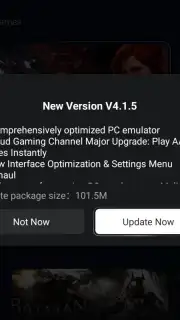
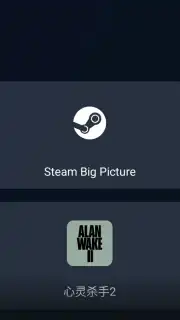
GameHub establishes itself as a multifunctional Android application designed to bridge the gap between PC gaming libraries and mobile devices. It provides users with a consolidated solution for accessing their favorite titles through three distinct technological pathways: local device emulation, cloud streaming, and remote PC access. This approach allows for significant flexibility in how and where users engage with PC-grade games, effectively transforming an Android smartphone or tablet into a versatile gaming terminal. The integration of account synchronization for major platforms like Steam and PlayStation is a foundational feature, enabling a seamless transition of game libraries and progress.
Core Functionality and Streaming Modes
The application's primary value lies in its tri-modal access system. The native emulation mode runs games directly on the Android device's hardware, eliminating network dependency and latency, though it is inherently limited by the device's processing capabilities. For a higher-fidelity experience, the PC Link function enables remote play from a user's personal computer, requiring the companion GameHub Manager software to be installed on the Windows system. This mode streams the video output and transmits control inputs, offering the best visual quality contingent on a robust local network. The third option utilizes Gamesir's proprietary cloud services, offloading all processing to remote servers, which demands a consistent, high-speed internet connection but removes the need for local hardware power. Each method supports synchronized controller input, with on-screen touch controls available as a default.
Hardware Integration and Content Creation Tools
GameHub extends its utility beyond simple game launching with robust peripheral support and content creation features. The application maintains full plug-and-play compatibility with GameSir's own line of controllers, keyboards, and mice via Bluetooth or USB, reducing configuration overhead. This native support ensures optimal mapping and responsiveness for a console-like experience. Furthermore, the integrated capture suite allows for instant recording of gameplay footage directly within the app. Users can edit clips with basic tools and upload finished videos to cloud storage, facilitating easy sharing and safeguarding recordings from being lost due to local device storage constraints.
- Multi-Access Game Launching: Utilize local emulation, cloud streaming, or remote PC play to run your PC game library directly on an Android mobile device.
- Extended Peripheral Compatibility: Connect GameSir and other Bluetooth/USB controllers, keyboards, and mice for enhanced, precise control schemes beyond touch inputs.
- Integrated Video Capture Suite: Instantly record, edit, and cloud-backup gameplay highlights without requiring separate screen-recording software.
Download GameHub now and directly transform your Android device into a powerful portal for your entire PC gaming collection!
Internet required. IAP available.
Information
| Version | 5.3.5 |
| Developer | GameSir |
| Requirements | Android Android + 10+ |
| Updated | 17.03.2026 |
| Size | 177.3 MB |
| Package | com.xiaoji.egggame |
| Signature | c0d3494d5c43abc550266065929d022e |
| Architecture | arm64-v8a |


