

Размытие фона Эффект screenshots (8)
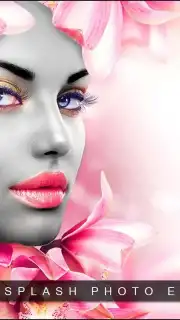



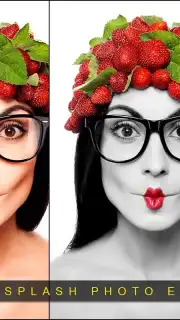
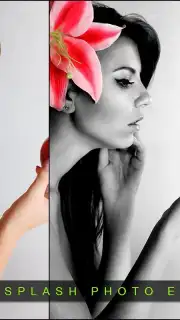
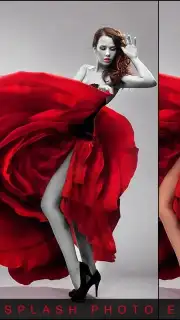
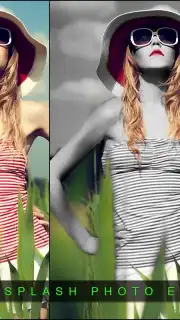
Description Размытие фона Эффект
Transform Ordinary Photos into Artistic Masterpieces
Imagine a single, vibrant color emerging from a monochrome canvas, drawing the eye directly to the focal point of your image. Background Blur Effect provides the precise tool to achieve this professional-grade aesthetic, transforming standard photographs into compelling visual stories. This application is engineered for users seeking to elevate their photo editing beyond basic filters, utilizing a selective color isolation technique that requires no prior graphic design experience. It operates by allowing you to pinpoint and preserve specific color values—such as a deep crimson, a cool azure, or a lush green—while automatically converting the remainder of the image to grayscale. This process creates a dramatic, high-contrast result that can highlight a subject, enhance mood, or add a layer of artistic depth to any snapshot, from portraits to landscapes.
Core Functionality and Editing Workflow
The application’s primary function centers on selective color restoration and background manipulation. You begin by uploading any image from your device’s gallery. The interface then provides a color selection tool, enabling you to choose a specific hue or range of hues to remain in full color. The algorithm processes the image, rendering all non-selected areas in black and white. For finer control, a brush tool is available to manually add or erase the color effect on specific parts of the photo, ensuring pixel-perfect precision around complex edges like hair or intricate objects. This method bypasses the complexity of layered editing found in desktop software, condensing a multi-step professional technique into a few intuitive taps.
User Interface and Output Management
Navigation is designed for efficiency, with a clean layout that presents all editing tools on a single screen, eliminating sub-menus and confusing workflows. Once your edit is complete, the application provides direct sharing functionality. Processed images can be exported in high resolution and shared instantly to major social platforms, including Instagram, Facebook, WhatsApp, and Twitter, or saved directly back to your device. This seamless integration from edit to export facilitates a quick workflow, ideal for creating content for social media feeds, digital portfolios, or personalized artwork without interruptions from advertisements or complicated save procedures.
Detailed Feature Specifications
- Selective Color Isolation Engine: Precisely define and maintain specific colors (e.g., red, blue, green) while converting the entire background and non-selected areas to a monochrome grayscale palette.
- Manual Adjustment Brush Tools: Utilize an adjustable brush for adding color back to details or erasing the effect with variable size and hardness for meticulous, professional-level edits.
- Instant Social Media Integration: Export finalized images and share them directly to platforms like Instagram and Facebook through in-app buttons, streamlining the posting process.
System and Performance Notes
The application functions as a standalone photo processor. It requires access to your device’s photo gallery for image import and storage for saving edited creations. An internet connection is not mandatory for the core editing functions but may be utilized for integrated sharing features. The process is performed locally on your device, ensuring quick rendering and privacy for your images.
Download Background Blur Effect immediately and start creating striking, gallery-worthy photos today. Don't wait—transform your visual content in seconds.
Download now!
Requires an internet connection for social sharing features. The app may contain in-app purchases.
Information
| Version | 1.0 |
| Developer | Applicate14 |
| Requirements | Android Android + 2.3, 2.3.1, 2.3.2+ |
| Updated | 16.03.2026 |
| Size | 2.13 MB |
| Package | junk.app.pixelatedbackground |
| Signature | e14821eb5a958902462e7440b0eeb7a2 |
| Architecture | armeabi, armeabi-v7a, mips, x86 |


