

Matsu PSX Emulator Lite screenshots (5)
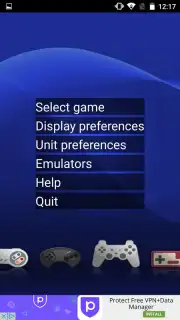
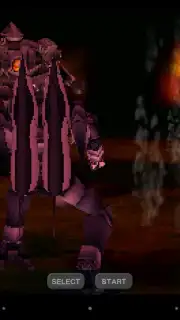
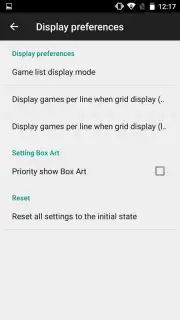

Description Matsu PSX Emulator Lite
Looking for a way to experience classic PlayStation (PS1) games directly on your Android device? The Matsu PSX Emulator Lite offers a functional portal to that era, enabling you to run a library of titles from Sony's first console. This review provides a measured analysis of its capabilities, compatibility, and practical use as a mobile emulation tool.
Core Functionality and Performance Analysis
The application operates as an Android-based emulator for the original PlayStation console. Its primary function is to load and execute game ROMs, though it is technically limited to supporting the .iso and .img file formats. This specificity means users must ensure their game files are correctly formatted, which is a key operational consideration. In terms of control, the emulator provides two distinct input methods. You can pair an external physical controller via Bluetooth or USB for a traditional feel, or fully utilize the on-screen touch controls. While the external controller option enhances precision, it arguably diminishes the inherent portability advantage of running these games on a mobile device, making the customizable touch interface a significant focus for on-the-go play.
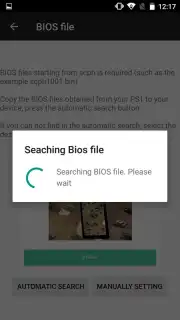
A notable technical feature is the emulator's ability to automatically scan for and locate the necessary .bios file on your device's storage, streamlining the initial setup process for users who have sourced this required component separately. Performance and compatibility are areas with room for growth; not all games will run perfectly, and some may experience graphical glitches or audio issues depending on their complexity and the emulator's ongoing development. The application is distributed in a "Lite" format, which typically implies a focus on core emulation without excessive features, and it maintains its service through a Turbo system rather than intrusive ad placements.
Key Features Overview
- Dual Control Schemes: Choose between customizable on-screen touch controls or support for external Bluetooth/USB gamepads for flexible gameplay.
- Automatic BIOS Detection: The emulator simplifies setup by automatically searching your device for the required PlayStation BIOS file.
- Focused File Support: Load your game libraries specifically in the compatible .iso and .img disc image formats for straightforward operation.
The opportunity to carry a catalog of PlayStation classics in your pocket is compelling. For enthusiasts of retro gaming, this tool provides a direct, if evolving, method to revisit those titles.
Download Matsu PSX Emulator Lite now – this streamlined access to retro gaming is an exclusive offer for users seeking a portable PS1 experience.
Please note: An internet connection may be required for initial setup or additional features. This application provides an emulation platform; users are responsible for sourcing their own legally owned game files and BIOS. Compatibility and performance may vary by device and game title.
Information
| Version | 4.01 |
| Developer | Matsu emulators |
| Requirements | Android Android + 4.0, 4.0.1, 4.0.2+ |
| Updated | 17.03.2026 |
| Size | 8.25 MB |
| Package | com.matsuemulator.psxlite |
| Signature | 7f53d6c1c1b33886914d4cc6d7db4a68 |
| Architecture | armeabi, armeabi-v7a |


