


melonDS screenshots (6)
Description melonDS
Reclaim Your Nintendo DS Library on Modern Android Hardware
Finding a reliable method to play classic Nintendo DS titles on current Android devices often involves navigating complex setups, intrusive advertisements, or inaccurate emulation. This emulation solution delivers a direct, high-fidelity bridge to the entire DS catalog, transforming your smartphone or tablet into a portable retro gaming station. It operates as a pure emulation engine, requiring you to provide your own legally sourced game files, but eliminates the traditional barriers to entry with a streamlined, user-focused design.
Core Technical Functionality and User Configuration
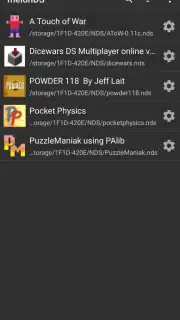
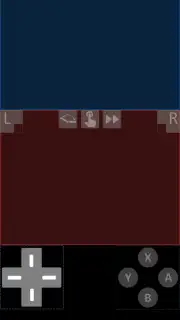
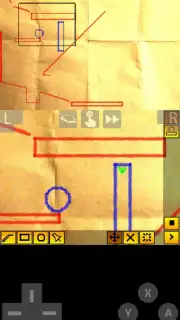
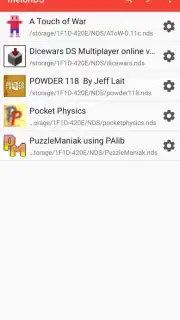
The application is a port of the open-source melonDS emulator, engineered for accuracy and performance on Android architectures. It renders both Nintendo DS screens simultaneously with correct aspect ratios, supporting the system's unique features like microphone input and dual-screen gameplay. The interface is built for immediate functionality: upon launch, you designate a single folder containing your game ROMs, and the software automatically catalogs them into a clean, selectable list. This eliminates manual file searching per session. Control schemes are fully customizable, with default touchscreen overlays replicating the original DS layout—including the position of the D-pad, face buttons, and touchscreen—all of which can be repositioned and resized. For a tactile experience, full Bluetooth controller mapping is supported, allowing you to connect an external gamepad.
Operational Advantages and System Compatibility
Performance is prioritized through a clean, unobtrusive user environment that contains no advertisements. The emulator includes a turbo function, a toggleable button that temporarily accelerates game speed, which is useful for bypassing lengthy gameplay segments. Compatibility is extensive, with the vast majority of the Nintendo DS library running at full speed with accurate graphics and audio emulation. The software supports save states, allowing you to create instant snapshots of your progress at any point, independent of the game's native save system. Game-specific configurations can be saved and loaded automatically, ensuring optimal settings for each title you play.
- Immediate Game Library Access: Scan and display all compatible ROMs from a user-defined folder with a single tap to launch any title.
- Fully Customizable Control Schemes: Adjust on-screen touch control position, size, and opacity or map inputs to a Bluetooth controller.
- Enhanced Playback Features: Utilize turbo speed controls and save states to manage your gameplay pace and progress retention.
Start building your portable classic games collection today by integrating your existing library with this precise emulation tool. Download the application now to activate your Android device's full retro gaming potential.
Internet required. IAP available.
Information
| Version | Beta 1.8.0 PS |
| Developer | Rafael V. Caetano |
| Requirements | Android Android + 5.0+ |
| Updated | 17.03.2026 |
| Size | 8.37 MB |
| Package | me.magnum.melonds |
| Signature | 246a6e94f7a24344d7aabb08231e9998 |
| Architecture | armeabi-v7a, arm64-v8a, x86_64 |


