


Minecraft Education screenshots (4)
Description Minecraft Education
What if the core mechanics of one of the world's most popular games could be directly applied to classroom learning and self-guided education? Minecraft Education Edition is a specialized platform developed by Mojang and Xbox Game Studios, transforming the open-world sandbox into a structured, curriculum-aligned educational tool. This analysis examines its functionality, access model, and pedagogical implementation beyond its surface resemblance to the commercial version.
Platform Overview and Access Model
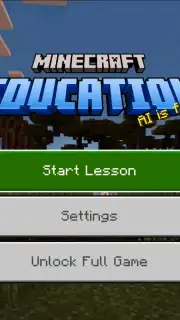
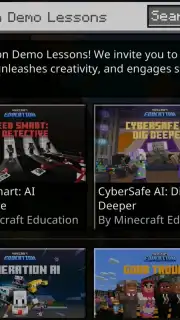
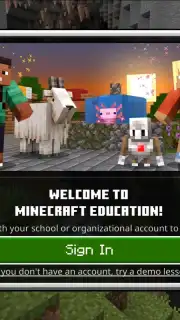
Minecraft Education operates on a verified institutional access model. Full functionality requires authentication with a valid school-issued email address, linking the experience directly to educational organizations. For independent users without such credentials, the application provides a complimentary demo mode. This demo includes access to several pre-built lesson worlds, allowing evaluation of the tool's core teaching methodology without login barriers. The platform is devoid of advertising and in-game purchases, focusing resources entirely on the educational environment.
Educational Framework and Curriculum Integration
The platform's curriculum spans STEM, humanities, and digital literacy. Lesson plans are built within the Minecraft engine, where students engage with interactive problems related to mathematics, historical simulation, computer science fundamentals, and social studies. For instance, a lesson on circuitry uses Redstone components to teach logical gates and engineering principles. This method leverages the game's intuitive building and exploration systems to demonstrate abstract concepts through tactile, visual experimentation.
Analysis of Instructional Content and Tools
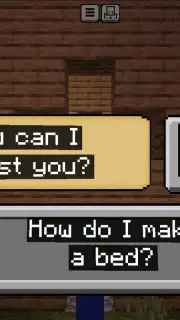
Beyond standard crafting and survival mechanics, the edition incorporates dedicated educational tools. These include the Camera and Portfolio items for documentation, the Book and Quill for reporting, and non-player characters (NPCs) that deliver instructions and information. Educators can utilize a Classroom Mode application to manage world settings, communicate with students, and assign resources. One notable lesson, "Good Trouble," is a historically-focused experience that simulates the 1965 Selma to Montgomery marches, providing contextual narrative within the game world to explore civil rights history.
Feature Set and Practical Application
The software distinguishes itself through features designed for structured learning within a collaborative sandbox.
- Secure Multiplayer Environment: Host closed, secure worlds for entire classrooms or project groups to collaborate in real time.
- Code Builder Integration: Directly connects to programming tools like MakeCode and Tynker, allowing students to learn coding by automating actions in-game.
- Comprehensive Subject Library: Access hundreds of pre-built lessons across science, history, language arts, and art with clear learning objectives.
- Cross-Platform Accessibility: Supports deployment on Windows, macOS, iPad, and Chromebook devices for flexible classroom integration.
- Formative Assessment Tools: Use in-game cameras, books, and chalkboards to track student progress and project completion digitally.
The platform is most effective when used as a supplemental tool within a broader lesson plan, providing an immersive medium for project-based learning and systems thinking. Its requirement for a managed school email is a deliberate design choice to ensure it serves its target institutional audience.
Download Minecraft Education Edition now to access the definitive learning sandbox. This is a limited-time offer for new users to secure full curriculum access through their educational institution.
Disclaimer: This application requires a persistent internet connection for authentication and access to lesson libraries. Full features are contingent on verification via a qualified school email account. The demo mode offers limited content without login. Data usage varies based on multiplayer sessions and world downloads. Please check with your educational institution for licensing and access eligibility. Content is designed for educational use.
Information
| Version | 1.21.92.1 |
| Developer | Mojang |
| Requirements | Android Android + 8.0+ |
| Updated | 17.03.2026 |
| Size | 314.25 MB |
| Package | com.mojang.minecraftedu |
| Signature | daf81324c0a1f9a9da201699e3d15394 |
| Architecture | arm64-v8a |


