

Remotr screenshots (11)





Description Remotr
Remotr Delivers Full PC Gaming to Your Android Device, Instantly
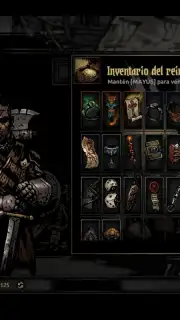
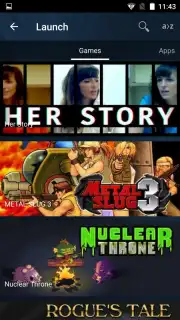
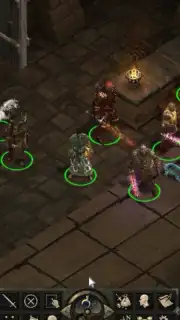
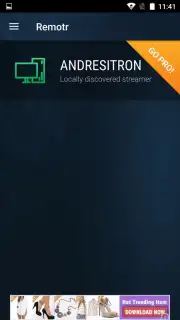
Remotr is a free utility application that establishes a direct streaming link between a Windows PC and an Android smartphone or tablet. Its core function is to grant full remote access to a computer's library, allowing users to launch and play any installed PC game directly on their mobile device. The setup process is streamlined: after installing the Remotr Streamer client on the host PC, both devices must be connected to the same local Wi-Fi network. Upon launching the mobile app, it automatically scans the connected computer and presents a visual library of all available games. Gameplay initiation is a single-tap process, with the stream commencing almost immediately. The application provides extensive, real-time control customization, which can be adjusted on the fly without interrupting the session.
Technical Functionality and Customization
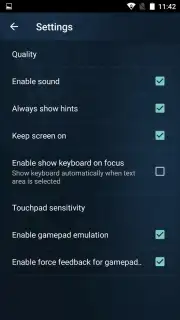
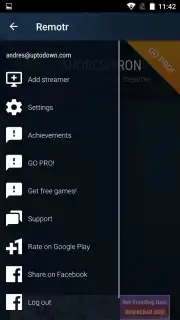
The software's versatility is demonstrated through its multiple input schemes. Users are not confined to a single control method but can switch between or combine a pure touchscreen mode, a simulated mouse cursor for point-and-click interfaces, and fully customizable virtual button overlays for action titles. Furthermore, Remotr supports hardware integration, enabling the use of Bluetooth controllers for a console-like experience. The settings menu offers granular control over the streaming session itself, including options to mute the PC's audio, turn off the computer monitor remotely, and manually adjust the streaming resolution and bitrate to balance visual fidelity with network performance. This level of detail ensures the stream can be optimized for different network conditions and game genres.
A significant operational advantage is the absence of in-app advertisements during standard use. The platform also offers a proprietary "Turbo" mode, a premium feature designed to enhance performance by prioritizing the streaming data packets and potentially reducing latency. The configuration process for the entire system is notably efficient, with a complete setup from client installation to first game launch typically achievable within five minutes. This stands in contrast to more complex remote desktop solutions that often require extensive port forwarding and network configuration.
- Stream Any PC Game to your Android phone or tablet over a local Wi-Fi network without direct installation on mobile.
- Comprehensive Input Options include touchscreen, virtual buttons, mouse emulation, and Bluetooth controller support.
- Granular Stream Settings allow for remote monitor control, PC audio muting, and manual quality adjustment.
- Rapid Setup Protocol enables a complete connection between PC and mobile devices in under five minutes.
- Ad-Free Interface with optional Turbo mode for enhanced streaming performance and reduced latency.
Get your bonus of seamless, high-performance gaming anywhere in your home and start playing your full PC library today. Claim your advantage now by downloading Remotr.
Internet required. IAP available.
Information
| Version | 1.0.348 |
| Developer | RemoteMyApp |
| Requirements | Android Android + 4.1, 4.1.1+ |
| Updated | 17.03.2026 |
| Size | 9.81 MB |
| Package | com.remotrapp.remotr |
| Signature | cd8690f73bf922d2e4efd9174af2d8fe |
| Architecture | armeabi, armeabi-v7a, mips, x86, arm64-v8a, mips64, x86_64 |


