


Steam screenshots (9)


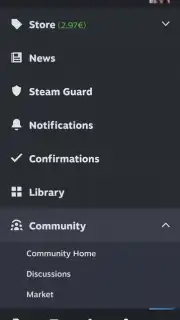



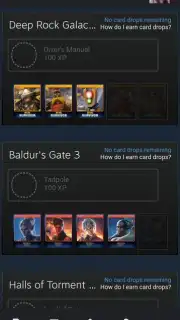
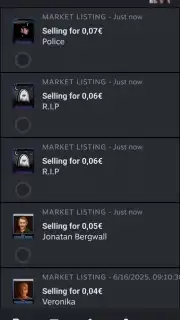

Description Steam
Secure Your Steam Account and Manage Your Library On The Go
For PC gamers, managing a Steam library often means being tethered to a desktop client for essential security and marketplace functions. This creates a gap in accessibility when away from your primary computer. The official Steam mobile application bridges this gap, providing a dedicated toolset for account management, community interaction, and marketplace oversight directly from an Android device. It functions as a secure companion to the desktop platform, enabling critical actions without requiring direct access to the PC client itself.
Core Application Functionality
The app serves as a remote authentication and management hub for your Steam account. Its primary utility is providing a secure, two-factor login method for the PC client via QR code scanning, significantly reducing reliance on password entry on shared or public machines. Beyond access, the application grants control over the Steam Community Market, where users must confirm every item listing or sale transaction directly through the mobile interface for added security. The integrated chat system mirrors the desktop experience, allowing for real-time text communication with friends, using the full suite of owned stickers and emoticons, and managing friend lists.
- QR Code PC Login: Authenticate your session on the Steam desktop client by scanning a dynamically generated QR code, bypassing manual credential entry.
- Marketplace Transaction Confirmation: Review and approve every item listing or sale on the Steam Community Market directly through the app as a mandatory security step.
- Persistent Social Connectivity: Access the full Steam Friends chat interface, send messages, and manage your contact list independently of the desktop client's status.
Detailed Platform Integration
Use of the application requires an existing, free Steam account. Certain features, including access to the Community Market for purchasing or selling profile items like trading cards, emoticons, and backgrounds, are gated behind having made at least one purchase in the Steam store. The app provides a streamlined portal for store browsing and purchases, supporting numerous payment processors including PayPal, credit cards (Visa, Mastercard, JCB), PaySafeCard, Skrill, Trustly, and WebMoney, in addition to using existing Steam Wallet funds. Wallet balance can be increased through market sales, redeeming Steam Gift Cards, or direct purchases. The application itself contains no third-party advertising.
We suggest trying the official Steam app to add a necessary layer of security and convenience to your gaming account, enabling management of your digital inventory and social interactions from any location.
Download game now
Disclaimer: This application requires a persistent internet connection and an existing Steam account. Access to all features may require a prior purchase on the Steam store. The app facilitates in-application purchases via multiple payment methods. Network data charges may apply. This is an official service utility for the Steam platform.
Information
| Version | 3.10.9 |
| Developer | Valve Corporation |
| Requirements | Android Android + 8.0+ |
| Updated | 17.03.2026 |
| Size | 125.87 MB |
| Package | com.valvesoftware.android.steam.community |
| Signature | 4e1d2dfcce2123fca7e97495c6d4350f |
| Architecture | armeabi-v7a, x86, arm64-v8a, x86_64 |


