

Steamlator screenshots (8)
Description Steamlator
What if you could access your entire Steam library directly from your Android device?
Steamlator is a specialized Android application designed to function as a Windows emulation environment, enabling the execution of PC games from a user's Steam library on mobile hardware. It operates as a modified iteration of the Winlator project, with the distinct advantage of having the Steam client pre-integrated into its APK package. The core technology leverages compatibility layers like Proton and Box86/Box64 to translate x86_64 Windows application instructions for the ARM-based architecture common in Android devices. The primary function is to provide a conduit to a user's existing Steam game collection, not to distribute games independently, which necessitates a valid Steam account login and ownership of the titles to be played.
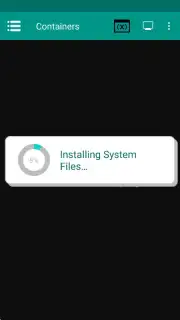
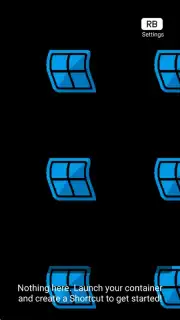
The initial setup process is streamlined for user convenience. Upon first launch, the application automatically initiates the embedded Steam installer. Completion time for this step is variable and dependent on internet connection speed. Following installation, execution is handled through a virtual container—typically labeled 'Container-1' by default. Activating this container triggers a virtual Windows session reboot, after which the Steam client window becomes accessible. A significant operational note is that in-game performance and frame rate are intrinsically tied to the host Android device's processing power, GPU capability, and thermal management, meaning experiences will vary significantly across hardware.
Core Functionality and Configuration
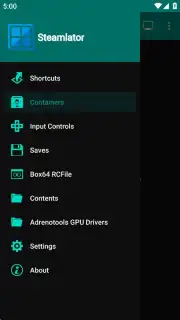
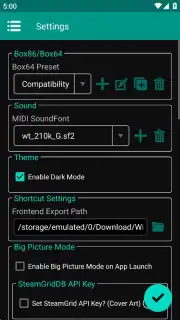
Steamlator provides extensive customization options to optimize compatibility and performance for different PC titles. When creating a new emulation container, users can adjust a wide array of technical parameters. These include screen resolution output, the specific version of the Wine compatibility layer, audio driver selection, DXVK configuration for DirectX translation, and the build version of Box64. This granular level of control allows technically inclined users to fine-tune the environment, potentially improving stability and speed for demanding applications. For optimal configurations, users are directed to consult external community guides and resources.
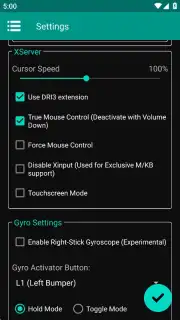
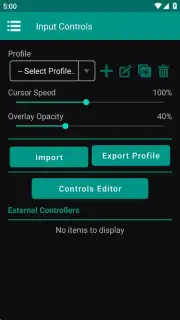
Beyond container configuration, the application offers deep customization for input methods. A critical component for playability is the fully customizable on-screen touch control system. Users can adjust mouse sensitivity, reposition and resize virtual buttons, and create control schemes tailored to specific game genres. Furthermore, integration with Steam's Big Picture Mode allows for additional controller mapping and profile management, facilitating a more console-like control layout directly on the touchscreen.
- Pre-Integrated Steam Client: The APK includes a ready-to-install Steam client, eliminating the need for separate manual setup or file transfers to the container environment.
- Granular Performance Configuration: Offers detailed container settings for screen resolution, Wine version, DXVK, and Box64 builds to optimize game compatibility and frame rates.
- Fully Customizable Touch Controls: Provides a configurable on-screen control interface with adjustable sensitivity and layout, enhanced by Steam Big Picture Mode integration.
The practical utility of Steamlator lies in its portability. It transforms a standard Android tablet or smartphone into a potential portal for a user's PC gaming library, offering access in scenarios where a desktop or gaming laptop is not available. It is important to manage expectations regarding battery consumption, as emulating graphically intensive PC games will place a high demand on the device's power system, leading to accelerated battery drain compared to native mobile applications.
Download Steamlator APK now and transform your Android device into a portable Steam terminal! Don't wait to take your library on the go—install it immediately!
Internet connection required for setup and login. In-app purchases may be available.
Information
| Version | 1.5.2 (VANILLA) |
| Developer | Steamlator |
| Requirements | Android Android + 8.0+ |
| Updated | 17.03.2026 |
| Size | 843.56 MB |
| Package | com.winlator.steam |
| Signature | e89b158e4bcf988ebd09eb83f5378e87 |
| Architecture | arm64-v8a, aarch64-MacOSX-clang, aarch64-Windows10-clang, amd64-Windows10-clang, ppc64-AIX-clang, ppc64-OS400-clang, x86_64-MacOSX-clang |


