

Wins 10 Simulator screenshots (8)

Description Wins 10 Simulator
What if you could master the world's most ubiquitous operating system without the risk of real-world crashes or updates?
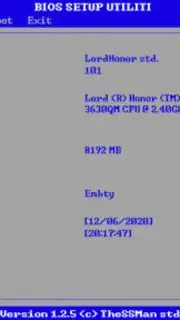
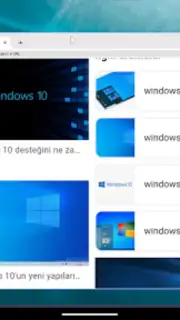
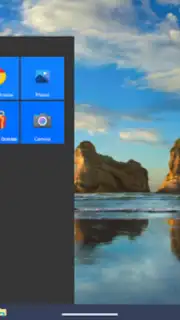
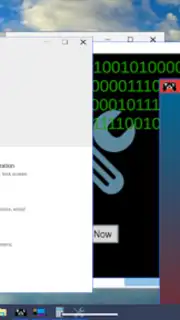
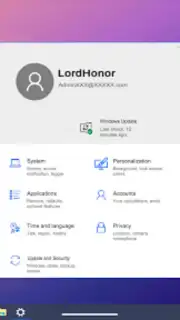
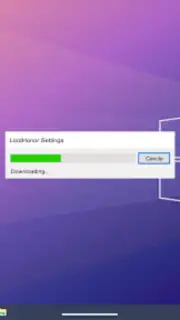
Wins 10 Simulator provides a detailed, interactive sandbox environment replicating the core user experience of a modern desktop OS. Users navigate a virtual desktop, managing system settings, launching simulated applications, and performing routine digital tasks. The gameplay focuses on exploration and interaction with a familiar interface, from adjusting display preferences and managing a virtual file system to interacting with system notifications and desktop widgets. It serves as a risk-free platform for users to familiarize themselves with common OS workflows, system tools, and interface navigation in a controlled, gamified context.
Core Gameplay and Features
The simulation is built around direct interaction with a meticulously recreated virtual machine. Primary mechanics involve using a cursor to click, drag, and explore various system elements. Users can open and resize application windows, browse a simulated web browser, and tinker with control panel options. The environment responds to user input with appropriate visual and auditory feedback, mimicking real OS behavior. Progression is self-directed, allowing users to set their own pace and exploration goals within the digital workspace, from simple desktop customization to more complex simulated system management tasks.
Key Advantages of the Experience
- Authentic Interface Replication: Experience a highly detailed and visually accurate simulation of a well-known desktop environment.
- Risk-Free Learning Environment: Explore system functions and settings without any consequence to your actual device.
- Intuitive Point-and-Click Mechanics: Simple, direct controls make the simulation accessible to users of all technical levels.
- Offline-First Functionality: Core simulation operates without a constant internet connection, ensuring uninterrupted access.
- Optimized for Mobile Performance: The experience is streamlined for touch interfaces and runs smoothly on a wide range of Android devices.
Don't wait to explore the digital desktop! Master the simulation and satisfy your curiosity without limits.
Download Wins 10 Simulator now!
Disclaimer: Requires Android 6.0 or higher. An internet connection may be required for initial download and for certain features. This application may contain advertisements and offers in-app purchases. Please review the app's data privacy policy before use. This is a simulation game for entertainment purposes.
Information
| Version | 2.3.5 |
| Developer | LordHonor std. |
| Requirements | Android Android + 6.0+ |
| Updated | 17.03.2026 |
| Size | 67.25 MB |
| Package | com.LordHonor.Windows10Simulator |
| Signature | ab89e1a55c2789b027a7f77a4053fac5 |
| Architecture | armeabi-v7a, arm64-v8a |


