

3D Player screenshots (9)

Description 3D Player
Imagine settling into a quiet evening, putting on your headphones, and pressing play on a familiar track, only to hear it transformed. The soundstage widens dramatically, instruments gain new spatial definition, and you experience a sense of audio depth that standard playback simply cannot provide. This is the core proposition of 3D Player by JokerN - Best Sound Quality, an Android audio application engineered not just for playback, but for perceptual audio enhancement. It functions as a universal music player that applies sophisticated audio reverberation and virtualization algorithms to create a three-dimensional listening effect, fundamentally altering how you perceive your existing music library. The application is particularly effective in controlled, quiet environments, where the nuances of its processing can be fully appreciated, such as during late-night listening sessions.
Core Audio Processing and Format Support
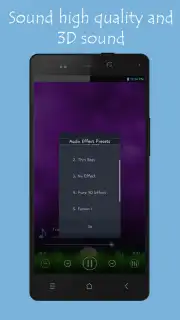
The application distinguishes itself through its dedicated 3D sound virtualization engine. This system does not merely add reverb; it processes stereo audio inputs to simulate a multi-dimensional sound field, creating the impression that sound is emanating from around and above the listener. This is complemented by a five-band equalizer offering granular control over frequency response, alongside one-touch presets like Pop, Classic, and Rock for immediate optimization. For bass enthusiasts, a dedicated Bass Boost function provides independent control over low-frequency gain, adding physical weight and depth to tracks. 3D Player operates as a comprehensive media hub, supporting a wide array of audio formats including MP3, WAV, OGG, and MIDI, ensuring compatibility with virtually any audio file in a user's collection without the need for conversion.
Playback Management and Visual Experience
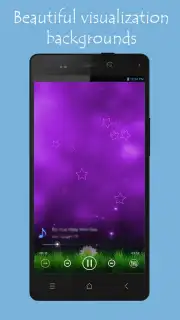
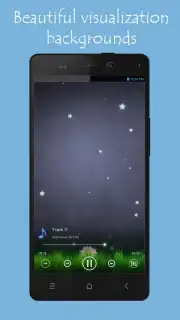
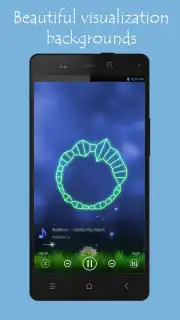
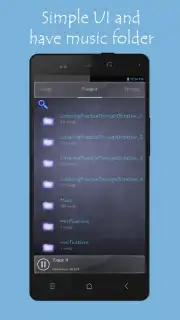
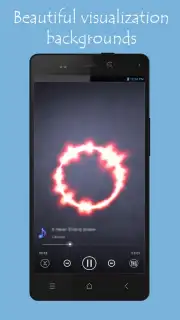
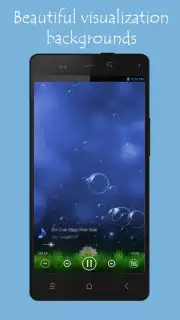
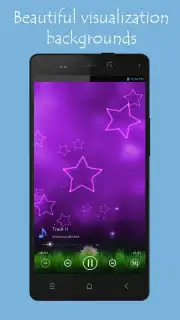
Beyond sound manipulation, the app provides a full suite of music library management tools. Users can create, edit, and manage custom playlists, and add or remove songs from their library with intuitive gestures. The auditory experience is paired with dynamic audio visualizers that render sound waves and patterns in real-time on the screen, providing a captivating visual accompaniment to the music. These visual elements enhance the sensory immersion, turning a simple playback session into a more engaging multimedia experience. The interface is designed to grant quick access to both the advanced 3D effect settings and the standard playback controls, balancing powerful features with operational simplicity.
Customization and Ongoing Development
While the preset sound profiles offer convenience, 3D Player caters to advanced users seeking a personalized audio signature. The manual equalizer and separate 3D effect intensity controls allow for precise calibration to match specific headphones, musical genres, or personal hearing preferences. Additional audio effect presets, such as Strong Bass, Light Bass, and Pure Sound, provide further starting points for fine-tuning. The developer, JokerN, emphasizes continuous improvement, with updates regularly addressing performance enhancements, new features, and stability refinements to ensure a smooth and evolving user experience. This focus positions the app as a viable tool for both casual listeners seeking a novel experience and audio hobbyists wanting more control.
- Advanced 3D Sound Virtualization: Creates an immersive, spatial audio experience from standard stereo tracks.
- Five-Band EQ & Bass Boost: Features detailed equalization and dedicated low-frequency enhancement controls.
- Universal Format Support & Playlists: Plays MP3, WAV, OGG, MID and includes robust playlist management tools.
Download this mobile app now and fundamentally upgrade how you hear your music collection. Don't wait—experience the depth and clarity of 3D audio today!
This application requires an internet connection for initial download and potential updates. The app may contain offers for in-app purchases.
Information
| Version | 4.4.1 |
| Developer | JokerN - Best Sound Quality |
| Requirements | Android Android + 2.3, 2.3.1, 2.3.2+ |
| Updated | 17.03.2026 |
| Size | 12.5 MB |
| Package | com.AT.Mp3Player3D |
| Signature | dd45147c34b7d76f288a1ce04b914c8b |
| Architecture | armeabi-v7a |


