


Activity Launcher screenshots (13)
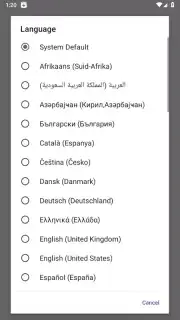

Description Activity Launcher
Tired of App Management Feeling Like a Chore?
You know the routine. You need a specific setting buried deep within an app, requiring multiple taps to navigate. You want to keep a navigation or music app alive in the background, but your phone's battery optimization keeps closing it. Your home screen is cluttered, yet you still can't create a direct shortcut to the exact function you use most. Managing your Android device shouldn't involve this much friction. What if you had a master key, a single tool that put you back in control of how every app on your phone launches and behaves? That's the precise problem Activity Launcher solves, transforming your device into a truly personalized tool.
Direct Access to Everything, Hidden or Not
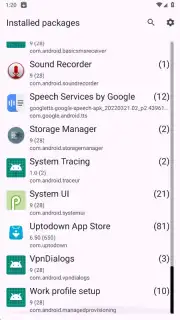
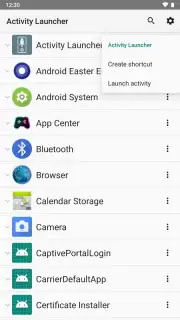
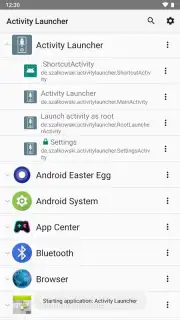
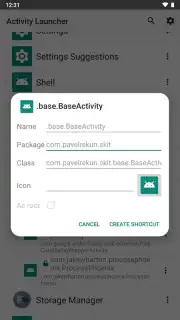
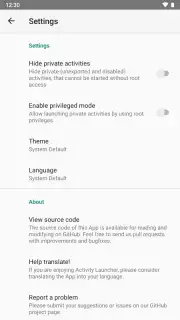
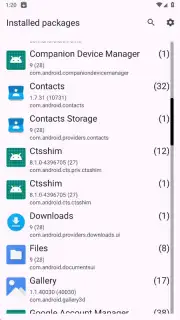
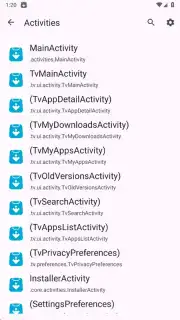
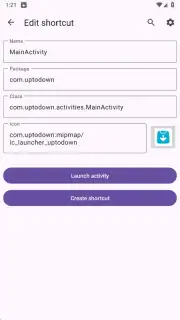
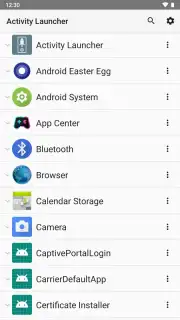
Activity Launcher acts as a powerful explorer and shortcut creator for your Android system. Instead of seeing just your app icons, you gain visibility into the individual activities and functions that make up each application. This means you can create a home screen shortcut that opens directly to your WhatsApp chat with a specific contact, jumps straight into the battery settings menu, or launches a particular note in your favorite editor. The app presents a clean, categorized list of every activity available on your device, removing the guesswork and endless digging.
Maintain Critical Apps in the Background Effortlessly
Beyond shortcuts, Activity Launcher provides essential control over app lifecycle management. You can designate which applications must remain active in the background. This is invaluable for apps like fitness trackers, navigation software, or audio players that need persistent operation to function correctly. By specifying these apps within Activity Launcher, you prevent the system from automatically suspending them, ensuring they continue running smoothly without requiring you to constantly reopen them. This feature works in tandem with the shortcut creation, offering a dual approach to streamlining your smartphone experience.
A Clean, Self-Contained Power Tool
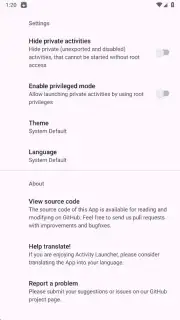
The interface is straightforward and requires no additional plugins or root access. All functionality is built-in, presenting you with the tools to change technical parameters like task affinities or to manage hidden system activities. It’s a simple yet profoundly effective utility with a clearly designed interface that makes advanced Android customization accessible. You effectively get a dashboard for managing the foundational layers of your apps and system tools, all from one centralized, ad-free environment.
- Create direct shortcuts to any app function
- Keep essential apps running in background
- Clean, ad-free interface with no extra tools
- Access and manage hidden system activities
We suggest trying Activity Launcher to experience a new level of efficiency and control over your Android device. Download the mobile app now and start streamlining your digital workflow today.
Internet required. IAP available.
Information
| Version | 2.4.1 |
| Developer | Adam Szalkowski |
| Requirements | Android Android 10+ |
| Updated | 16.09.2026 |
| Size | 67.02 MB |
| Package | de.szalkowski.activitylauncher |
| Signature | e16b44a1ac8f3fbfc8f6d8b62d12ffa5b076cf7b |
| Architecture | armeabi-v7a |


