


Adblock Browser screenshots (8)

Description Adblock Browser
A Browser That Fundamentally Alters the Mobile Web Experience
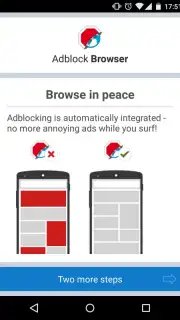
The Adblock Browser for Android is not a mere alternative; it is a deliberate re-engineering of mobile browsing by the team behind the seminal Adblock Plus extension. It directly addresses the core frustration of modern web navigation by systematically removing intrusive advertising, offering a baseline experience that feels both cleaner and significantly faster. This application provides the essential functionality of a modern browser, but its defining characteristic is the integrated, granular control it grants users over what content loads on every page they visit.
Core Mechanics and User-Centric Design
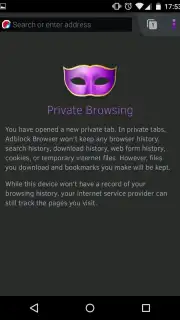
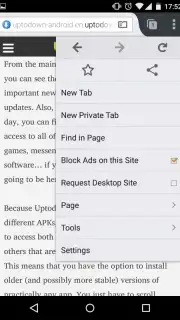
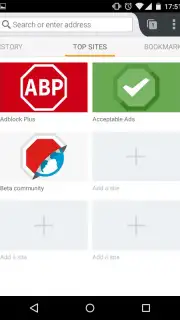
Built upon a recognized and stable foundation, the browser presents a familiar, efficient interface that prioritizes user control. The ad-blocking engine is not a peripheral add-on but the central operational component, processing every webpage request through comprehensive filter lists before it reaches the screen. This happens seamlessly in the background, requiring no manual intervention for standard browsing. Beyond its primary function, the browser is equipped with standard professional tools including a tabbed interface for multitasking, bookmark management for organization, and a private browsing mode that does not retain history or cookies.
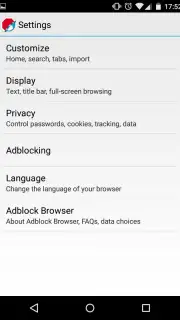
The application’s true technical distinction lies in its configurable filtering system. Users are not presented with a simple on/off switch but with a detailed settings panel where they can define the parameters of their browsing.
- Granular ad-type blocking allows targeting of specific formats like pop-ups, auto-play videos, or tracking cookies.
- Custom whitelist creation enables support for preferred websites by selectively disabling filters.
- Accelerated page loading occurs as bandwidth is not consumed by downloading unwanted ad assets.
- Enhanced privacy protection is provided by blocking many third-party trackers by default.
- Reduced data usage makes it a practical tool for mobile plans with limited data allowances.
We suggest trying Adblock Browser to experience a streamlined, focused, and efficient version of the mobile web, free from the standard clutter.
Download mobile app now
Heads up: you'll need wifi for most features. Some cool stuff is extra.
Information
| Version | 3.12.1 |
| Developer | Adblock Plus |
| Requirements | Android Android 12L+ |
| Updated | 02.09.2026 |
| Size | 240.08 MB |
| Package | org.adblockplus.browser |
| Signature | 5F:8F:93:E7:13:52:01:45:5B:82:B5:43:34:73:8F:D4:6B:59:39:AC |
| Architecture | arm64-v8a |


