

Adobe Illustrator Draw screenshots (7)

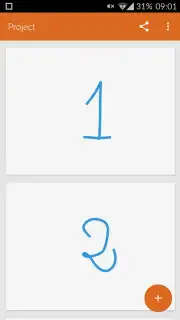
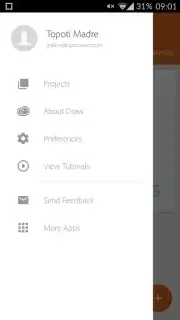
Description Adobe Illustrator Draw
Ever Wished Your Tablet Could Think Like a Pro Designer's Studio?
Imagine having the legendary power of Adobe Illustrator, but made entirely for your fingertips. That’s the magic of Adobe Illustrator Draw. It transforms your Android screen into a dynamic canvas for vector art, letting you sketch, design, and illustrate anywhere inspiration strikes. This isn't just a simplified mobile version; it's a full-featured creative suite rebuilt from the ground up for touch, giving you the freedom to create professional-grade artwork without being chained to a desk.
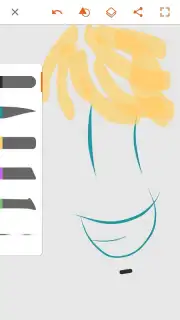
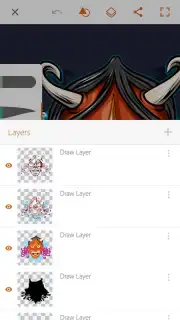
You'll feel an immediate sense of control with a toolkit that feels both expansive and intuitive. Dive into a rich collection of fully customizable brushes—adjust their flow, size, and opacity with a tap to get the exact stroke you envision. The app truly shines with its layered workflow, supporting up to 10 drawing layers that you can blend, reorder, and edit on the fly. This is where your ideas become complex, polished pieces. And with robust undo and redo functions, every experiment is risk-free. The experience is streamlined and focused, free from disruptive ads, allowing you to stay in your creative flow.
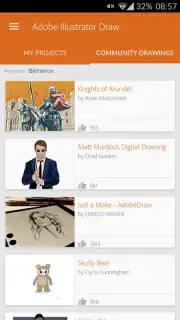
But the adventure doesn't end on your canvas. A standout feature is your direct line to a global creative community. You can publish your projects straight from the app to Behance, Adobe's social network for artists, to gather real feedback and applause. It’s also an endless source of inspiration, where you can browse stunning creations from other users and see exactly what’s possible with the same tools in your hands. It connects your personal studio to a world of talent.
Why Your Creative Process Needs This App
- Professional Vector Tools: Create crisp, scalable artwork with brushes and pens designed specifically for vector drawing, ensuring your designs look perfect at any size.
- Advanced Layer Control: Build sophisticated illustrations using up to 10 separate layers, with complete control over blending and opacity for depth and detail.
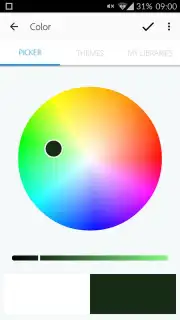
- Fully Customizable Brush Library: Tailor every brush to your style by fine-tuning size, color, and transparency for truly unique strokes and textures.
- Seamless Creative Community Integration: Share your work and get inspired by publishing directly to Behance, connecting with millions of artists and designers.
- An Undisturbed, Premium Experience: Enjoy a clean, ad-free interface with the performance and tools you need to focus purely on creating.
This is your exclusive invitation to step into a professional mobile studio. For a limited time, new users get unparalleled access to industry-leading tools typically reserved for desktop software. Don't just doodle—design, illustrate, and share like a pro. Download Adobe Illustrator Draw now and claim your creative upgrade today!
Heads up: you'll need wifi for downloading the app, syncing projects, and sharing to communities. Some advanced brush packs and cloud features are extra.
Information
| Version | 3.7.29 |
| Developer | Adobe |
| Requirements | Android Android + 9+ |
| Updated | 17.03.2026 |
| Size | 57.58 MB |
| Package | com.adobe.creativeapps.draw |
| Signature | d34354cc4fea9d54da99a5ee4810c9d7 |
| Architecture | arm64-v8a |


