

Adobe Photoshop Sketch screenshots (10)


Description Adobe Photoshop Sketch
Unleash Your Creative Vision Anywhere with Adobe Photoshop Sketch
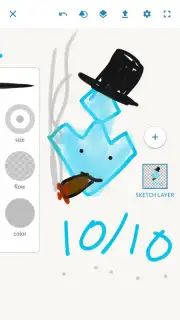
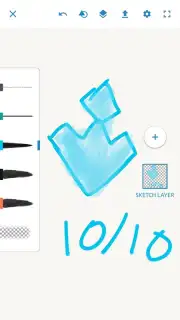
Transform your smartphone or tablet into a professional-grade digital sketchbook. Adobe Photoshop Sketch delivers the precision and power of a desktop studio directly to your fingertips, enabling you to capture inspiration whenever it strikes. This isn't just a simple drawing tool; it's a complete portable art studio designed for serious creators and hobbyists who demand authentic, high-quality results on the go. Experience the fluidity of real-world media with digitally mastered tools, and seamlessly integrate your mobile creations into your professional creative workflow.
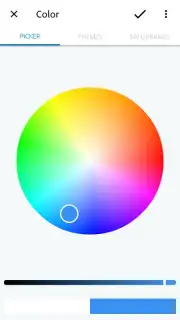
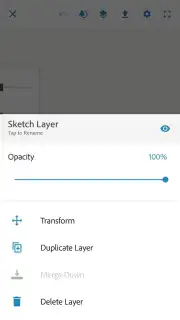
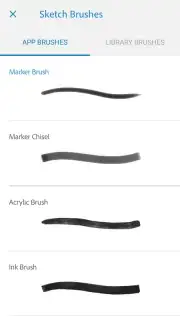
The application provides an extensive, customizable toolkit that replicates the physical behavior of traditional art supplies with remarkable accuracy. You gain access to a dynamic collection of vector and raster brushes, including adjustable pencils, responsive ink pens, expressive wet brushes, and textured pastels. Each tool is engineered with adjustable opacity, size, and blending settings for total control. A core strength is its sophisticated layer system, which supports blend modes and non-destructive editing, allowing for complex compositions. All projects can be saved in a layered PSD format, enabling you to open and refine them later without loss of data in Adobe Photoshop or Adobe Illustrator on your desktop, creating a truly fluid cross-device workflow.
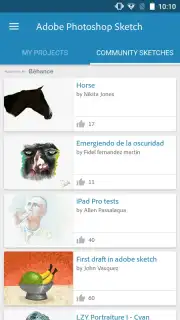
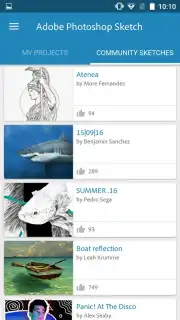
Beyond the canvas, the app connects you to a vibrant, global creative community. By signing in with your Adobe account, you can publish your work directly to Adobe Creative Cloud, share projects for feedback, and discover millions of artworks from other artists. This ecosystem allows you to follow inspiring creators, gather constructive comments on your own pieces, and build a visible portfolio accessible from any device. The environment is focused purely on creation, offering an ad-free experience so you can immerse yourself in your work without interruption.
- Professional-Grade Digital Brushes: Utilize a vast library including pencils, ink pens, markers, watercolor brushes, and acrylics, all with customizable pressure and tilt sensitivity.
- Advanced Layered PSD Workflow: Create with multiple layers and export projects directly to Adobe Photoshop or Illustrator for seamless desktop editing.
- Vibrant Creative Cloud Community: Share your artwork, follow other artists, and receive feedback within the integrated Adobe community network.
- Precision Drawing Tools & Guides: Employ built-in perspective, grid, and symmetry guides to achieve perfectly measured sketches and illustrations.
- Ad-Free Creative Environment: Enjoy an uninterrupted, focused drawing session with a clean, professional interface designed for productivity.
Don't just sketch—create professional art anywhere. Integrate your mobile creativity into your entire Adobe workflow and join a world of artists. Download Adobe Photoshop Sketch from the official store immediately and start your next masterpiece!
Disclaimer: Application requires a persistent internet connection for account login, community features, and cloud syncing. Some tools or services may require a separate Adobe subscription or in-app purchase. Data charges may apply. User-generated content is subject to community guidelines. Please review the app's terms for specific age restrictions and data usage policies.
Information
| Version | 2.2.374 |
| Developer | Adobe |
| Requirements | Android Android + 9+ |
| Updated | 17.03.2026 |
| Size | 74.28 MB |
| Package | com.adobe.creativeapps.sketch |
| Signature | d34354cc4fea9d54da99a5ee4810c9d7 |
| Architecture | arm64-v8a |


