

Adobe Photoshop Touch screenshots (6)
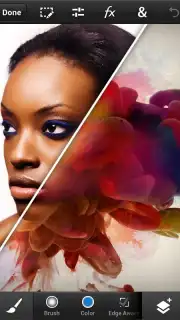

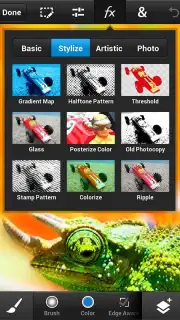
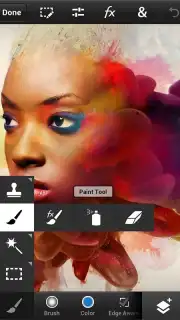
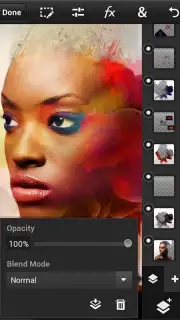
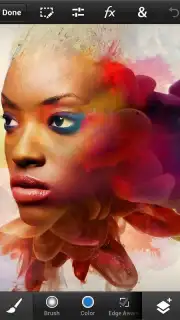
Description Adobe Photoshop Touch
Tired of Your Photos Looking Ordinary?
You capture a perfect moment, but the lighting is off, or an unwanted object ruins the frame. You know the image has potential, but basic filters just don't cut it. What if you could carry the power of a professional photo studio in your pocket? That’s the reality waiting for you. This app transforms your mobile device into a serious creative workstation, letting you edit, composite, and enhance images with precision tools once reserved for desktop computers. Stop settling for simple adjustments and start creating polished, gallery-worthy artwork from anywhere.
Professional-Grade Tools at Your Fingertips
Experience the core of professional editing streamlined for touch. You work directly on high-resolution images using layers, just like on a desktop. This means you can combine photos, graphics, and text non-destructively, moving and adjusting each element independently for complete creative control. The selection tools are incredibly refined, allowing you to isolate even the most intricate subjects, like hair or foliage, with a few strokes of your finger. Once selected, you can edit that area separately, remove it entirely, or blend it seamlessly into another image.
The creative possibilities expand with a full suite of painting and correction tools. You have access to customizable brushes, effects, and advanced filters to stylize your work. Adjustments for color balance, curves, saturation, and levels are all present, giving you the power to correct colors or create dramatic new looks. You can even work with text layers, applying layer styles and effects to create striking typography integrated directly into your visual compositions. The interface is intuitively designed for touch, making these complex tasks feel natural and fluid.
Why This Editing Experience Stands Apart
The seamless integration with Adobe Creative Cloud is a game-changer. You can start a project on your tablet and effortlessly open it later in the desktop version of Photoshop, with all layers and edits perfectly intact. This fluid workflow breaks down the barriers between mobile and desktop creation. Performance is optimized for mobile devices, ensuring smooth operation even when working with multiple high-resolution layers and complex effects. The app respects the heritage of its desktop counterpart, providing a familiar and powerful toolkit that feels both professional and accessible, empowering you to achieve results that truly stand out.
The advantages for your creative workflow are significant:
- Layer-based editing for complex composites
- Precise selection and refinement tools
- Professional-grade adjustments and filters
- Seamless Creative Cloud integration
Download Adobe Photoshop Touch Now!
Stop dreaming about professional edits and start making them today. Unleash your creativity and transform your photos into art. Get it immediately!
Heads up: you'll need wifi for initial download and for syncing with Creative Cloud. Some advanced features and cloud storage are part of premium subscriptions. Requires Android 4.0 or later.
Information
| Version | 1.3.7 |
| Developer | Adobe |
| Requirements | Android Android + 4.0, 4.0.1, 4.0.2+ |
| Updated | 17.03.2026 |
| Size | 20.78 MB |
| Package | air.com.adobe.pstouchphone |
| Signature | ec4e1ccf4db6324f2e61148289b4f224 |
| Architecture | armeabi-v7a |


