


ADW Launcher screenshots (4)
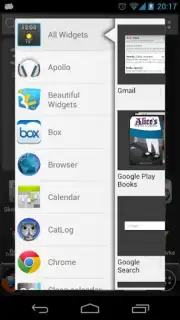
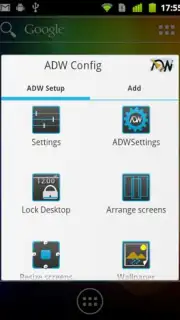
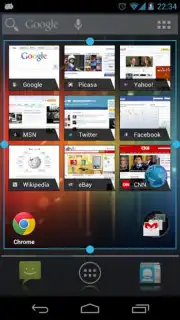
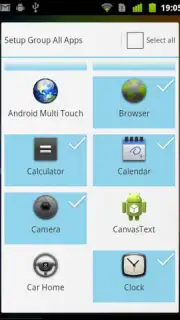
Description ADW Launcher
Transform Your Android Interface with Complete Customization Control
ADW Launcher provides a comprehensive system-level toolkit for Android personalization, enabling granular control over your device's interface elements. This application allows you to redefine your home screen's style and functionality, moving beyond standard themes to a fully tailored user experience. Upon initial launch, it presents an extensive series of configuration options that affect virtually every visual and operational aspect of the home screen environment.
The settings panel grants access to modifications for desktop screen aesthetics, transition effects between panels, and application storage management. You can architect an interface that mimics alternative operating systems like iOS or Windows Phone, or create an enhanced iteration of the native Android layout. This launcher distinguishes itself by offering a broad spectrum of foundational tools rather than specializing in a single feature, ensuring all aspects of home screen customization are addressed.
Core Functionality and User-Configured Modes
- Complete Visual Overhaul: Modify desktop screen layouts, icon presentations, and folder management systems to create a distinct visual theme.
- Navigation and Transition Control: Adjust scrolling dynamics, screen switching animations, and drawer access methods for optimized device interaction.
- Ad-Free Operational Environment: Utilize the Turbo-enhanced version for an interface experience completely free of advertising interruptions and performance limitations.
Detailed Feature Set and Customization Tools
The application serves as a central hub for interface modification, starting with a detailed first-run setup that guides you through core customizations. You can define the number of desktop screens, their respective grid sizes for icon and widget placement, and the behavior of the application drawer. Deeper settings allow for changes to icon labels, size scaling, and the application of custom icon packs to unify the visual design language across all shortcuts.
Further configuration extends to gesture controls, where actions like double-taps or swipes can be assigned to launch applications, trigger system functions, or control specific settings. The launcher also manages notification badges, allows for backup and restore of your precise setup, and includes performance tuning options to ensure smooth operation regardless of your device's specifications. This level of detail ensures that both aesthetic preferences and practical usability requirements are met.
- Desktop and Drawer Configuration: Set independent grid sizes for the home screen and app drawer, and define scrolling effects and animation speeds for each.
- Gesture-Based Command System: Assign applications or actions to touch gestures like pinches, swipes from edges, or double-taps on the desktop background.
- Backup, Restore, and Theming: Create full backups of your layout and settings, and apply third-party icon packs or create custom themes for a cohesive look.
Download ADW Launcher now to unlock exclusive, ad-free customization—this limited offer for comprehensive control is available for immediate access to new users.
Internet required. IAP available.
Information
| Version | 2.0.1.75 |
| Developer | AnderWeb |
| Requirements | Android Android + 2.3, 2.3.1, 2.3.2+ |
| Updated | 17.03.2026 |
| Size | 12.93 MB |
| Package | org.adw.launcher |
| Signature | a0deeb1c0f69dddc5fa97ff889622ed5 |
| Architecture | armeabi, armeabi-v7a, mips, x86, arm64-v8a, mips64, x86_64 |


