


AI Drawing : Trace & Sketch screenshots (12)


Description AI Drawing : Trace & Sketch
Ever wished you could translate the vivid images in your mind onto paper, but your hand just doesn't seem to cooperate? What if you had a patient, digital tutor that could guide your pencil, turning complex sketches into achievable steps? AI Drawing: Trace & Sketch positions itself as that very guide, transforming your smartphone into a portable art studio designed to build your drawing confidence from the ground up.
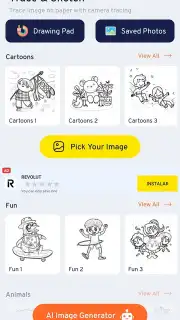
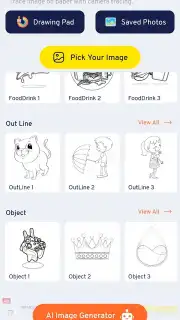
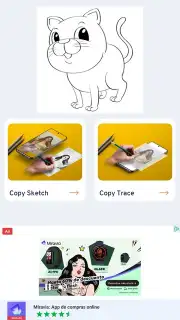
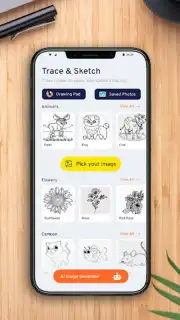
This application provides a structured, hands-on approach to learning illustration by leveraging your device's screen as a modern-day lightbox. The core experience revolves around a vast and ever-accessible gallery of pre-made sketches. You are not starting with a blank page and intimidating possibilities, but with a clear roadmap. The library is thoughtfully categorized, offering dozens of distinct illustrations ranging from majestic animals and detailed environments to expressive characters, ensuring you find a subject that sparks your interest for every practice session.
Your Digital Drawing Companion
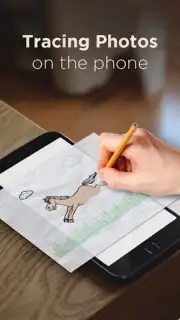
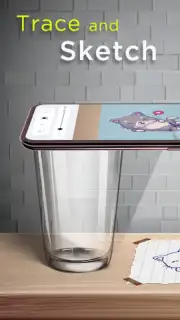
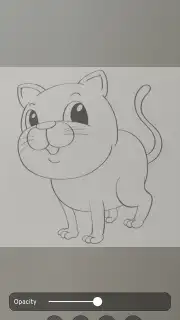
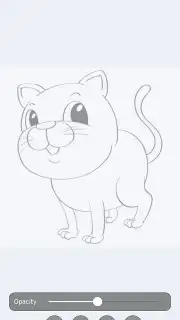
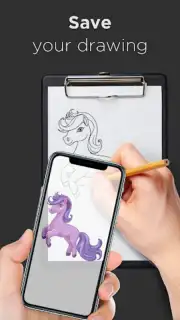
The process is ingeniously straightforward. You begin by browsing the integrated gallery and selecting the sketch you wish to master. Once chosen, you place a sheet of paper directly over your smartphone's screen. By maximizing your screen's brightness, the lines of the illustration shine through, providing a perfect template for you to trace. This direct method builds muscle memory and helps you understand proportions and line flow intuitively. For more flexibility, the app also offers a camera projection mode. This allows you to project the chosen image onto any flat surface—a sketchbook on your desk, a canvas on an easel—freeing you from hovering over your phone and offering a more natural drawing posture.
Core Features at a Glance
- Extensive library of traceable sketches
- Screen-based tracing with brightness control
- Camera projection mode for flexibility
- Ad-free experience with Turbo benefits
Beyond simply tracing, the app serves as a continuous source of practice material. Each completed drawing reinforces technique, and the variety of styles available—from simple shapes to more complex scenes—ensures your skills progress. The advertised Turbo version enhances this experience by removing distractions, allowing you to focus entirely on the creative process without interruption.
We suggest trying AI Drawing: Trace & Sketch if you're looking for a practical, no-nonsense tool to demystify drawing. It provides the structure and resources to make regular practice both easy and engaging. Consider downloading it to finally bridge the gap between wanting to draw and actually doing it.
Download the AI Drawing: Trace & Sketch mobile app now.
Heads up: you'll need wifi to download the app and access new sketch packs. Some cool stuff, like the full Turbo features, is extra.
Information
| Version | 5.1 |
| Developer | The App Company INC |
| Requirements | Android Android + 7.0+ |
| Updated | 17.03.2026 |
| Size | 22.39 MB |
| Package | drawing.trace.sketch.draw.anything |
| Signature | aabce03c7c9c91bfae6ff0f3e03e2233 |
| Architecture | armeabi-v7a, arm64-v8a |


