


Always On Display: AMOLED screenshots (6)
Description Always On Display: AMOLED
A Persistent Problem of Modern Smartphones
A fundamental inefficiency of contemporary smartphone use is the constant need to wake the device for basic information. Each check for the time, a notification, or music control requires a button press or tap, interrupting workflow and consuming unnecessary battery power. This review examines a utility designed to address that core interaction flaw by maintaining a low-power, information-rich display on your lock screen.
Functional Analysis of Always On Display: AMOLED
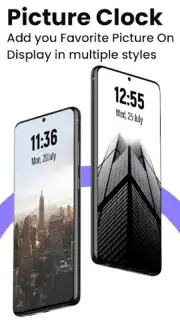
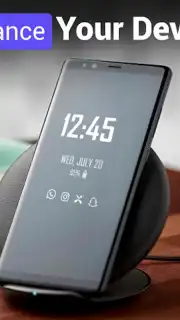
This application functions as a system-level service that maintains a persistent, dimmed overlay on your device's lock screen. Its primary operational logic is to leverage the power-efficient nature of AMOLED screen technology, where black pixels are deactivated, to display critical data without significantly impacting battery life. The interface presents this information—time, date, notification icons, and media controls—on a pure black canvas, minimizing power draw while the device is idle.
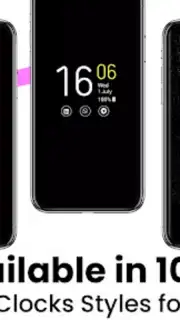
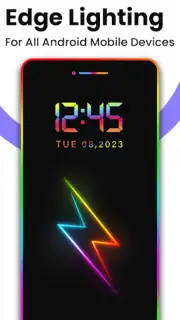
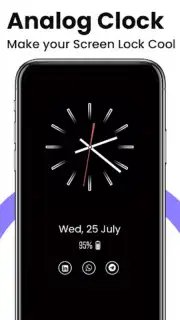
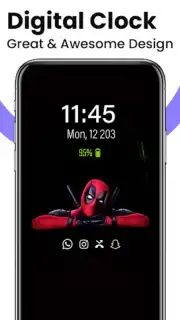
Customization is a central operational pillar. The app provides a library of clock styles, including digital, analog, calendar-based, and emoji-driven designs, along with options for background images. Each element is adjustable; users can modify text color, font size, and overall widget positioning. A distinct feature is the Edge Lighting system, which triggers a customizable luminous border around the screen's periphery for incoming calls and alerts. This subsystem allows granular control over the effect's color, animation speed, pulse duration, and border thickness.
Beyond passive display, the tool integrates actionable utilities. The Always On Memo feature pins persistent text notes to the always-on screen. Quick-access shortcuts can launch the device's flashlight or a calculator directly from the display. A universal music controller remains accessible, providing playback management regardless of the source application. Setup involves enabling the app's accessibility service, configuring a double-tap to wake gesture, and granting necessary permissions for call detection and system settings adjustment to manage lock screen brightness.
Core Feature Set
- Low-Power AMOLED Display: Shows time, date, and notifications on an energy-saving black background.
- Extensive Clock Customization: Choose from digital, analog, calendar, emoji, and image-based clock styles.
- Dynamic Edge Lighting: Fully configurable colored light animations for notifications and calls.
- Integrated Productivity Tools: Features persistent memo display, quick flashlight, and calculator shortcuts.
- Universal Media Control: Manage audio playback from any app directly from the always-on screen.
We suggest trying Always On Display: AMOLED if you seek to streamline device interaction and prioritize at-a-glance information access without constant unlocking.
Download the mobile app now.
Heads up: you'll need wifi for initial setup and downloading clock packs. Some advanced visual styles and themes are premium features.
Information
| Version | 3.22 |
| Developer | technolts The I.T Solution, Pvt. Ltd |
| Requirements | Android Android + 5.0+ |
| Updated | 17.03.2026 |
| Size | 12.39 MB |
| Package | com.technolts.alwayson.display.amoled.screen.free |
| Signature | 5f38341c6e10eb9acea4dc04d82af704 |
| Architecture | universal |


