

LG TV SmartShare-webOS screenshots (4)
Description LG TV SmartShare-webOS
Imagine this: you’ve just captured the perfect video on your phone or compiled a playlist of your favorite tracks. Now, you want to experience it on the grand canvas of your living room TV, without cables, complicated setups, or quality loss. That seamless bridge between your mobile device and your LG Smart+ TV is exactly what LG TV SmartShare-webOS builds. This advanced content sharing application is engineered to transform your webOS-powered LG TV into a central hub for all your personal media, delivering a streamlined, high-quality viewing experience directly from your smartphone.
Core Functionality and Setup
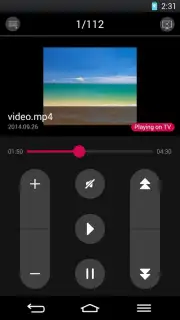
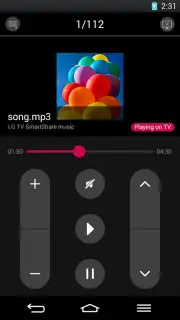
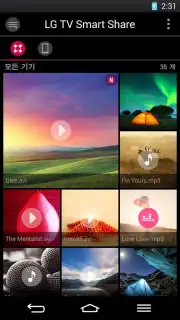
LG TV SmartShare-webOS operates as a powerful media conduit, designed to project videos, music, and photos from your mobile device directly onto your television screen. Its standout engineering feat is its robust compatibility; the app functions flawlessly without requiring the proprietary Tag On sticker, offering greater flexibility. The fundamental requirement is a shared Wi-Fi network. Once your smartphone and LG Smart+ TV are connected to the same wireless network, the process is remarkably intuitive. Navigate to your media file within the app, tap the universal "Share" icon, and select your target TV from the list to begin instant projection. This practical approach eliminates friction, making content sharing an effortless part of your entertainment routine.
Enhanced Media Support and Performance
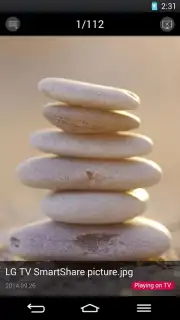
The application distinguishes itself with extensive format support, ensuring that a vast library of your personal content is playable. It handles image files including JPEG, PNG, and BMP, audio files like MP3, and a wide array of video formats with support for multiple codecs and subtitle files for a truly personalized media session. A significant performance advantage is the complete absence of advertisements, creating an uninterrupted viewing environment. For users seeking accelerated performance, the app leverages Turbo-enhanced data transfer to send all file types swiftly and reliably. It’s important to note that while core sharing works over Wi-Fi, the Miracast screen mirroring feature is specifically available for LG smartphone models starting from the G2 and equivalent or newer Samsung models, providing an alternative mirroring method for compatible devices.
- Universal Media Streaming: Instantly project videos, music, and photo albums from your smartphone directly to your LG Smart+ TV screen with just a few taps.
- Broad Format Compatibility: Enjoy support for JPEG, PNG, BMP images, MP3 audio, and numerous video codecs with subtitle support for a comprehensive media hub experience.
- Simplified Network Connection: Operates seamlessly over a shared Wi-Fi network without needing a Tag On sticker, ensuring a straightforward and cable-free setup process.
Transform your TV into a dynamic display for your personal media collection. Start sharing your memories and entertainment in stunning clarity on the big screen today. Download the mobile app now and unlock effortless streaming.
Disclaimer: This application requires an internet connection and both devices to be on the same Wi-Fi network. Features like Miracast have specific device compatibility requirements (e.g., LG G2 or newer, select Samsung models). Data usage rates may apply depending on your network provider. This app may contain in-app purchases. Please check your device specifications and local regulations for age restrictions.
Information
| Version | 1.4.0 |
| Developer | LGElectronics |
| Requirements | Android Android + 4.0, 4.0.1, 4.0.2+ |
| Updated | 17.03.2026 |
| Size | 15.64 MB |
| Package | com.lge.lgsmartshare |
| Signature | dbc7c2ce04efa1e81eee3021ecb726f8 |


