

G5 Launcher and Theme screenshots (4)
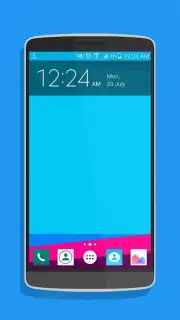
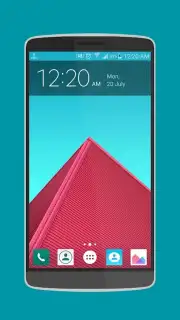
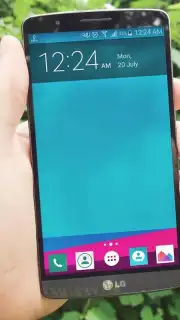
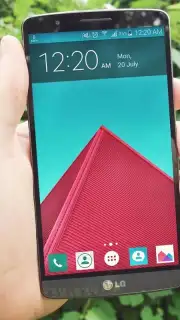
Description G5 Launcher and Theme
Tired of a Cluttered, Slow Home Screen That Looks Like Everyone Else's?
Standard Android launchers often impose a rigid grid layout and generic visual design, limiting how you interact with your device daily. The G5 Launcher and Theme provides a systematic alternative, replacing the stock interface with a layer of enhanced customization and organizational control. It functions as a comprehensive shell, allowing for deep structural and aesthetic modifications without requiring root access.
Core Customization Mechanics and Tools
The application operates by replacing your default home screen application. Its primary mechanics involve widget integration, icon theming, and gesture-based navigation. Users can apply complete visual themes that change icon packs, wallpapers, and system fonts in a single action. The launcher includes tools for creating custom icon labels, adjusting grid sizes for apps and widgets down to a precise cell count, and applying scaling effects to elements. A dedicated drawer editor allows for categorizing apps into tabs or hiding them entirely, while gesture controls can be assigned to actions like double-tap to sleep or swipe down for notifications.
Analytical Breakdown of Key Advantages
The utility of this launcher is defined by its balance of depth and stability. Performance optimization is a stated focus, with mechanisms to reduce RAM usage and prevent redraw lag during home screen transitions. The theming engine supports a wide range of third-party icon packs from the Play Store, and the built-in theme store offers curated, cohesive designs. From a usability standpoint, the ability to back up entire home screen layouts, including widget positions and folder structures, to a local file or cloud service provides significant practical value for device migration or experimentation.
- Granular Layout Control: Adjust home screen and app drawer grid dimensions, icon size, and label visibility independently.
- Comprehensive Gesture System: Assign system actions or app launches to touch gestures like double-tap, pinch, and swipe on the home screen.
- Integrated Theme Engine: Apply unified visual packages that alter icons, wallpapers, and system color accents simultaneously.
Download this mobile app now and reconfigure your device's interface to match your workflow and style. Don't wait to replace the limiting default setup.
Internet required. IAP available.
Information
| Version | 1.1.2 |
| Developer | SOFIT |
| Requirements | Android Android + 4.0, 4.0.1, 4.0.2+ |
| Updated | 17.03.2026 |
| Size | 8.99 MB |
| Package | sofit.g5.lg.icon.theme.launcher |
| Signature | 1120576e8d140665d12038556954b028 |
| Architecture | armeabi-v7a, mips, x86, arm64-v8a, x86_64 |


