


Amaze File Manager screenshots (6)


Description Amaze File Manager
Navigating Android's Depths: A Review of Amaze File Manager
For many Android users, the default file system remains a locked box, a confusing hierarchy of directories where important documents and media can become frustratingly elusive. This common pain point of disorganization and limited control is precisely where Amaze File Manager positions itself as a solution. Developed by Vishal Nehra, this open-source tool provides the foundational key to your device's entire storage structure. It moves beyond simple visibility, offering a comprehensive suite for direct file manipulation, from basic operations to advanced management, all wrapped in a notably clean interface. While still in active development, its current iteration presents a compelling argument for being a primary organizational tool.
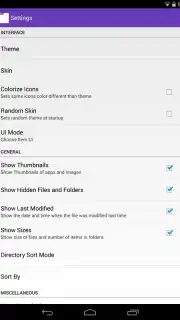
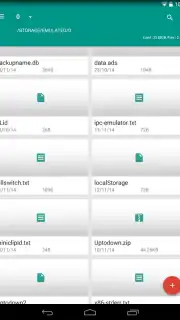
The application's core philosophy is one of uncluttered utility. Upon launching, you are met with a straightforward directory browser that grants full access to both internal storage and SD card contents, a fundamental right often obscured by manufacturer skins. The true differentiator lies in its execution. The interface is minimalist by design, avoiding visual noise and focusing on your files. This simplicity is customizable, with settings allowing you to select a color scheme that suits your preference, making the functional environment also personally agreeable. A significant user benefit is the complete absence of advertising, which creates an uninterrupted workflow—a rarity in the utility app space that often sacrifices purity for monetization.
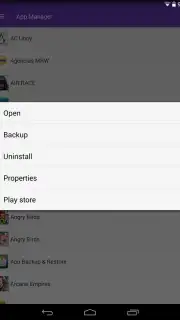
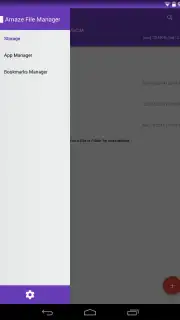
Functionally, Amaze is built on a robust foundation of expected file manager actions: cutting, copying, pasting, archiving, and extraction are all present and perform reliably. However, it extends its utility with thoughtful additions. The quick access window acts as a dynamic bookmark system for your most-used folders, saving considerable time on repetitive navigation. Furthermore, it integrates an application manager, a tool typically siloed in system settings. This allows you to audit installed apps, view their storage footprint, and uninstall them directly, streamlining the process of reclaiming valuable space. The ability to view hidden files and leverage a built-in text editor and image viewer rounds out its capability to handle a wide array of file types without needing to switch between multiple apps.
- Provides complete root-level access to all device directories and external storage for full control.
- Features a clean, ad-free interface with customizable color themes for personalized use.
- Integrates a full application manager to view storage usage and uninstall apps directly.
- Includes a quick access panel for pinning and instantly navigating to frequent folders.
- Supports all core file operations plus archiving, text editing, and hidden file visibility.
Start organizing your device with precision and reclaim your digital space today. Download Amaze File Manager now to experience a powerful, ad-free file management system.
Heads up: you'll need wifi for initial download and some network-based file operations. The core file management features are fully free and open-source.
Information
| Version | 3.11.2 |
| Developer | Vishal Nehra |
| Requirements | Android Android + 5.0+ |
| Updated | 17.03.2026 |
| Size | 11.61 MB |
| Package | com.amaze.filemanager |
| Signature | 6ee38a88961dc0ad05f09e0416231b50 |
| Architecture | armeabi-v7a, x86, arm64-v8a, x86_64 |


