


Amaze Utilities screenshots (11)

Description Amaze Utilities
A Comprehensive Review of Amaze Utilities: The Open-Source Media and Device Manager
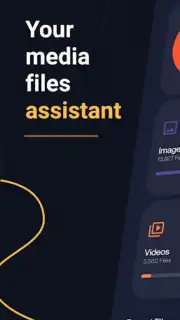
Imagine a scenario where your device's storage is cluttered with duplicate photos, forgotten downloads, and rarely used apps, while your media files are scattered across different folders without a unified player. This common digital disorganization is precisely what the Amaze Utilities app is engineered to solve. Developed by Team Amaze, this application presents itself as a consolidated toolkit, merging advanced device maintenance with a powerful, integrated media suite. Version 1.94 builds upon its open-source foundation to deliver a multi-faceted experience focused on system optimization and media management, all within a single, ad-free interface. This review will analyze its core mechanics, from deep storage analytics to its built-in video players and document viewers, to determine its practical utility.
Core Functionality and Feature Analysis
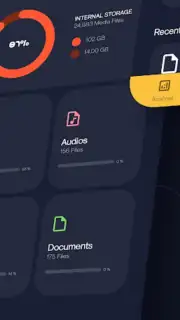
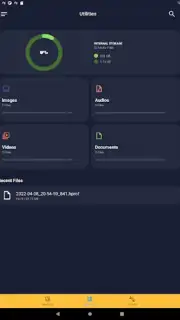
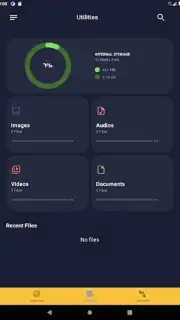
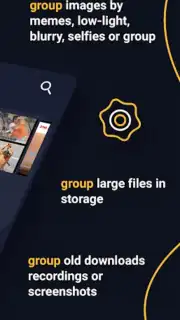
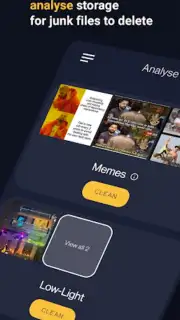
The primary operational domain of Amaze Utilities is device storage analysis and optimization. The app performs a detailed scan of internal memory, categorizing content not just by type, but by usage patterns and data footprint. It identifies large files, obsolete downloads, and applications sorted by frequency of use or storage consumption. This granular analysis is the foundation for its cleaning tools, which allow for the bulk deletion of unnecessary files and the pinpoint removal of duplicate items across images, videos, and documents. A separate one-touch function is dedicated to clearing RAM, aiming to provide an immediate boost to device performance by freeing up active memory, a feature often sought after by users experiencing system lag.
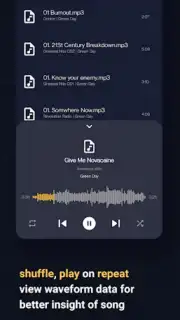
For media consumption, the app transitions into a fully-featured playback hub. It includes native audio and video players that support a wide array of file formats. The video player is equipped with picture-in-picture mode, background playback, and functionality to search and download subtitles directly from online sources. The audio player offers advanced controls including waveform analysis, shuffle, repeat, and customizable playback settings. Navigation within these players is gesture-based, allowing for intuitive control over volume, brightness, and track skipping. Furthermore, the app provides tools for basic image editing and enhancement, catering to quick visual content adjustments without needing a separate photo editor.
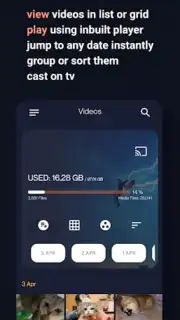
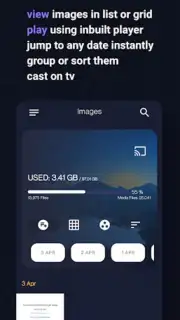
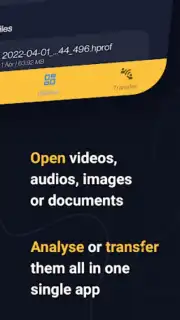
Beyond media, Amaze Utilities extends its utility to document handling and device connectivity. Its document viewer supports multiple file types and offers reading modes such as a dedicated dark theme for PDFs and an ebook bookmarking system. For file transfer, the app leverages Wi-Fi Direct technology to enable fast, local data sharing between devices without relying on an internet connection or cloud services. The user interface is designed to facilitate quick media discovery through instant search and offers multiple view modes (like grid or list) to match user preference. A notable feature is the ability to cast or stream content directly to compatible televisions, expanding its use case from personal device management to a living room media center.
Key Feature Breakdown
- Advanced Storage Analyzer: Scans and categorizes files by size, age, and usage to identify clutter and duplicates for efficient cleanup.
- Integrated Media Playback Suite: Combines gesture-controlled audio/video players with subtitle support and picture-in-picture functionality.
- Document Viewer & Wi-Fi Transfer: Provides a PDF/dark mode reader and enables high-speed local file sharing between devices via Wi-Fi Direct.
It is important to note the application's access model. Amaze Utilities operates on a trial basis, after which continued, unrestricted use requires either a subscription or a one-time payment for a lifetime membership. This model unlocks the full spectrum of the described features beyond the initial evaluation period.
Download Amaze Utilities now! This is the definitive tool to declutter your device, manage your media library, and optimize performance. Don't wait—transform your digital organization immediately!
Disclaimer: This application requires an internet connection for certain features like subtitle downloads and may require in-app purchases for full, permanent access. Data usage may apply during online functionality. Please check the specific age rating and permissions on your device's app store listing before download. The developer is not responsible for data loss; users are advised to back up files before deletion.
Information
| Version | 1.94 |
| Developer | Team Amaze |
| Requirements | Android Android + 5.0+ |
| Updated | 17.03.2026 |
| Size | 37.17 MB |
| Package | com.amaze.fileutilities |
| Signature | 73b93f38196c6cacc3beed532b140b2e,67632a40ebee5b78fc9a16a201aec880 |
| Architecture | arm64-v8a |


