


Android Auto screenshots (8)
Description Android Auto
Imagine your car's dashboard transforming into a familiar, helpful companion. No more fumbling with your phone in a cup holder, squinting at a tiny screen for directions, or dangerously trying to skip a song. Android Auto seamlessly bridges your digital life and your drive, projecting a simplified, driver-optimized interface right onto your vehicle's display. It’s about turning your daily commute or road trip into a connected, convenient, and far safer experience.
Your Car, Intelligently Connected
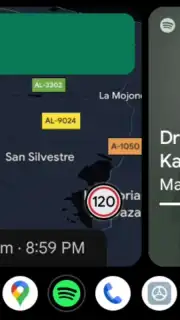
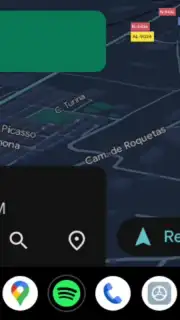
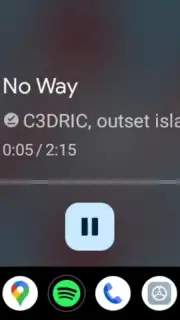
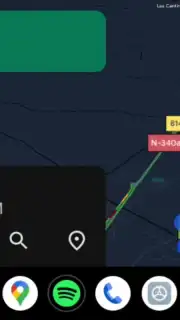
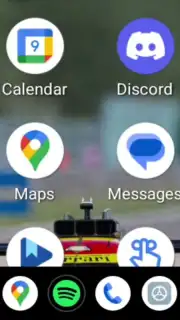
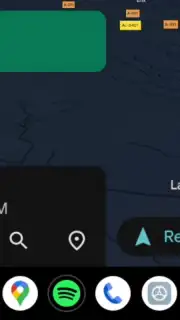
Android Auto is designed from the ground up to minimize distraction and maximize utility. The moment you connect, your car's screen adopts a clean, intuitive layout with large, easy-to-touch targets and clear voice command prompts. This isn't just a mirror of your phone; it's a curated driving environment. Compatible apps like Google Maps, Spotify, Waze, and Amazon Music automatically reformat their interfaces. Maps show bold, glanceable directions, while music apps feature oversized play and skip buttons. The system intelligently prioritizes the information you need on the road, pushing non-essential details to the background so you can keep your eyes where they belong.
Effortless Control, Your Way
You have flexible options to connect. Use a simple USB cable for a reliable link that also charges your device, or enjoy the ultimate convenience of a wireless connection if your vehicle supports it. Once set up, you command everything with your voice or minimal touches. Google Assistant is integrated at the core, allowing you to navigate, communicate, and entertain without ever lifting a hand from the wheel. Ask for the quickest route home, reply to a message by speaking, or play a specific podcast—all while maintaining full focus on the road ahead.
A Smarter, Safer Driving Hub
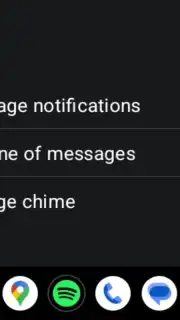
Your smartphone acts as the powerful brain behind the experience. It handles the processing and data, meaning your car doesn't need its own internet connection for real-time traffic, updated maps, or streaming music. Notifications from messages or emails appear in a streamlined, non-intrusive format. You can choose to have them read aloud and reply by voice, quickly silence them, or activate a dedicated Driving Mode to pause all interruptions. The system leverages your phone's GPS for precise navigation, using a mix of offline and online data to ensure you're guided accurately, even in areas with poor cellular service.
- Driver-Optimized Interface: Every compatible app adapts with larger fonts, simplified menus, and touch-friendly controls designed for use while driving.
- Wired or Wireless Connectivity: Connect via USB for charging and stability, or go completely cable-free in supported vehicles for ultimate ease of use.
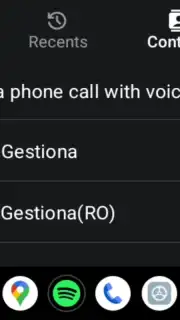
- Full Google Assistant Integration: Control navigation, music, calls, and messages completely hands-free with reliable voice commands.
- Smart Notification Management: See alerts safely and respond by voice, mute them, or enable Do Not Disturb to block distractions entirely.
- Phone-Powered Intelligence: Your phone provides the data and processing, offering live traffic, music streaming, and navigation without needing your car to be online.
- Constant Free Updates: Regular updates from Google deliver new features, improvements, and expanded app compatibility directly to your device.
Consider making your next drive profoundly more connected and convenient. This app redefines the in-car experience by putting essential tools and entertainment in a safe, accessible format right on your dashboard.
Download Android Auto now to upgrade your vehicle's intelligence.
Internet required for full functionality. IAP available.
Information
| Version | 16.3.660834-release |
| Developer | Google LLC |
| Requirements | Android Android + 10+ |
| Updated | 17.03.2026 |
| Size | 21.54 MB |
| Package | com.google.android.projection.gearhead |
| Signature | eeb557fc154afc0d8eec621bdc7ea950,646301a5e0afb01384a6e5fc0612f798 |
| Architecture | arm64-v8a |


