

Android File Manager screenshots (3)
Description Android File Manager
Take Full Control of Your Android's File System
Tired of feeling restricted by your phone's basic file handling? Imagine managing documents, photos, and apps on your Android with the same precision and power you have on your desktop computer. That level of direct control is now in your hands, transforming your device from a simple gadget into a fully manageable digital workspace.
Experience Desktop-Grade File Management on Mobile
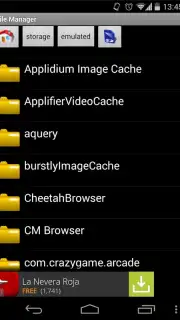
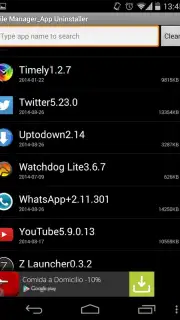
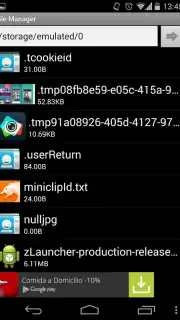
This tool transforms your Android's storage into a transparent and organized system. You navigate through folders and directories with a familiar hierarchy, performing essential actions instantly. The process of moving a collection of photos or backing up important documents becomes a seamless task of copy, paste, or cut, executed directly from a clean and practical interface. You gain the ability to delve deep into your device's native directories or explore the file structures of your installed applications, providing a complete overview of your storage space. Furthermore, managing your apps becomes straightforward, allowing you to conveniently review and remove applications you no longer need, freeing up valuable space directly from within the file manager environment.
Key Features at Your Fingertips
- Perform core file operations including copy, paste, cut, and delete for both files and folders with intuitive gestures.
- Navigate seamlessly between your device's root storage directories and the internal data of other installed applications.
- Manage all your apps from one place, with the ability to easily uninstall applications to optimize device performance and storage.
- Operate from a streamlined, user-focused interface designed for efficiency, putting every function within easy reach.
- Enjoy an enhanced experience free of interruptions, allowing you to focus entirely on your file management tasks.
Streamline Your Digital Life Today
Stop wrestling with limited file options and unlock the true potential of your Android device. Get the powerful, straightforward file management tool you deserve and organize your digital world with confidence.
Download Android File Manager now and command your files.
Disclaimer: This application requires an internet connection for initial download and potential updates. The developer may offer in-app purchases for additional features or an ad-free experience. Use of this tool may involve access to device storage and installed applications. Please be aware of your device's data usage policies and age-appropriate content. The developer is not responsible for data loss; it is advised to proceed with caution when modifying system directories.
Information
| Version | 1.2 |
| Developer | Topnet999 |
| Requirements | Android Android + 1.1+ |
| Updated | 17.03.2026 |
| Size | 133.63 KB |
| Package | com.topnet999.android.filemanager |
| Signature | 1efdf7745856929e381fe714bd81c382 |


