

Android Lollipop 5.0 Widget screenshots (2)
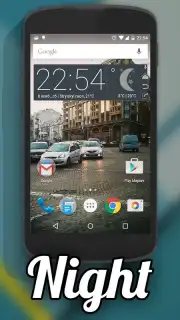
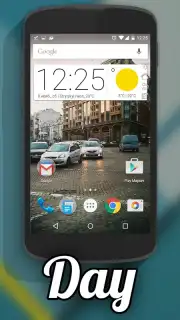
Description Android Lollipop 5.0 Widget
A Glimpse of the Past, Optimized for Today
The Android Lock screen is a functional gateway, but rarely a personal statement. For users who recall the clean, colorful aesthetics of Android Lollipop, the interface of modern devices can feel impersonal and cluttered. This widget suite directly addresses that disconnect, offering a methodical restoration of a specific design language onto contemporary hardware. It is not a full system theme, but a focused set of tools that apply Lollipop's Material Design principles to the most viewed areas of your device.
Core Functionality and Implementation
The Android Lollipop 5.0 Widget provides a collection of standalone widgets that replicate the visual style and interaction patterns of the Android 5.0 Lollipop operating system. The primary mechanic involves selecting from a library of widget types—such as clocks, weather displays, search bars, and music players—and placing them on the home screen. Each widget is built to adhere to the original Lollipop design specifications, including the use of layered paper-like elements, vibrant accent colors, and smooth animation triggers. The app operates independently of your device's system theme, allowing for a hybrid interface where Lollipop-style widgets coexist with your current app icons and wallpaper.
Analytical Breakdown of Key Features
The utility of this application lies in its specificity and execution. It serves a niche audience with precision, focusing on authentic recreation rather than generalized customization.
- Authentic Lollipop Design Language: Every widget utilizes the original color palettes, Roboto typography, and shadow effects defined by Google's Material Design guidelines from that era.
- Modular Home Screen Integration: Users can curate their layout by choosing individual widgets without committing to a full, and often unstable, system-level theme replacement.
- Performance-Optimized Widget Engine: The widgets are designed to consume minimal system resources, ensuring that the aesthetic enhancement does not impact battery life or general device responsiveness.
- Standalone Operation: No root access or complex permissions are required; functionality is contained within standard Android widget hosting.
Limited Offer: Restore a Classic Interface Today
This widget set offers a precise solution for enthusiasts and nostalgic users. For a limited time, new users receive exclusive access to the complete widget pack. This is a direct implementation of a recognized design system, available for immediate use.
Download the mobile app now.
Requires an internet connection for initial widget pack delivery. The app may contain optional in-app purchases for expanded widget sets.
Information
| Version | 1.0.0 |
| Developer | Bionic Inc. |
| Requirements | Android Android + 3.2+ |
| Updated | 17.03.2026 |
| Size | 939.53 KB |
| Package | com.bionic.lpstyle.zwskin |
| Signature | 2818f4420922546033f699ef4b1ce217 |


