

Anfish screenshots (3)
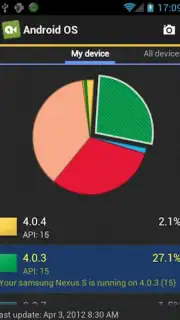
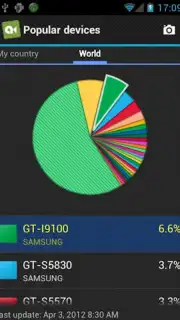
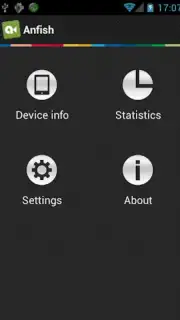
Description Anfish
Struggling to Find a Simple, Uncluttered Tool for Everyday Tasks?
Many mobile applications are overloaded with unnecessary features, complex interfaces, and distracting advertisements, making simple digital tasks more cumbersome than they need to be. Anfish provides a streamlined alternative, focusing on core utility and a distraction-free user experience. It consolidates several everyday functions into a single, lightweight application, designed for efficiency without sacrificing performance.
Core Functionality and User Experience
Anfish operates as a multifunctional utility hub. Its primary interface is a clean, grid-based menu that provides immediate access to its various integrated tools. The application is built around quick execution, allowing users to switch between functions like a unit converter, a basic notepad, a flashlight toggle, and a system information viewer without navigating through multiple apps. The mechanics are intentionally straightforward: select a tool, input data or trigger an action, and receive an immediate, clear output. The design philosophy prioritizes speed and clarity over decorative elements, resulting in a highly responsive interaction model.
Key Advantages of the Platform
The application's main strength lies in its optimization and focused scope. By avoiding feature bloat, it maintains a small installation footprint and minimal resource usage, ensuring stable operation even on older hardware specifications. The visual design employs high-contrast elements and legible typography to maximize readability. All tools are available offline after the initial download, providing reliable functionality regardless of network connectivity. The absence of mandatory account creation or complex permissions streamlines the initial setup process to mere seconds.
- Integrated Utility Suite: Access multiple essential tools like a calculator, timer, and compass from one centralized, organized interface.
- Minimalist, Ad-Free Interface: Experience a clean workspace designed for focus, completely free of banner or video advertisements.
- Extremely Lightweight Performance: Enjoy fast launch times and smooth operation with minimal battery and data consumption.
- Full Offline Functionality: Use all core features without an active internet connection for reliability anywhere.
- Zero-Login Convenience: Start using the app immediately after installation with no registration or personal data required.
Download Anfish now—this streamlined utility pack is available for a limited time as a free introductory offer. Exclusive access for the first users to install.
Disclaimer: This application requires an internet connection for initial download and potential future updates. It may contain optional in-app purchases for expanded feature sets. The app is rated for all ages. Data usage is minimal and confined to basic functionality analytics for performance improvement. Standard mobile data rates may apply.
Information
| Version | 1.20 |
| Developer | Sam Lu |
| Requirements | Android Android + 1.5+ |
| Updated | 17.03.2026 |
| Size | 636.11 KB |
| Package | com.a0soft.gphone.aTruffleHog |
| Signature | 2d630cc5b2e2e145769418e548bd9052 |


