


Volume Control screenshots (7)

Description Volume Control
Master Your Device's Audio with Surgical Precision
Tired of inconsistent volume levels between apps, sudden blasts of sound from notifications, or media that's simply too quiet to hear clearly? Standard system controls are often a blunt instrument. This application transforms your device into a finely tuned audio console, granting you independent, granular control over every sound channel. It addresses the fundamental frustration of modern mobile audio management, replacing guesswork with exact numerical adjustment and personalized profiles for every scenario.
A Technical Deep Dive into Granular Audio Management
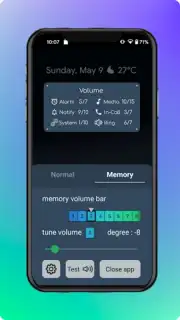
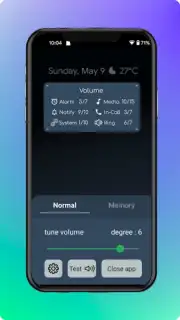
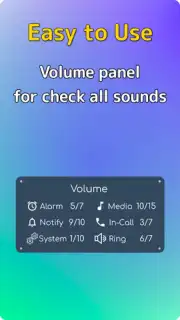
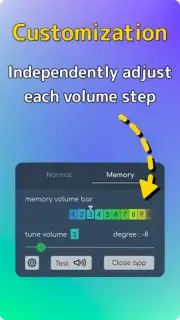
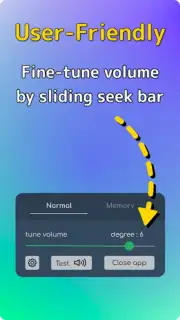
The core functionality revolves around decoupling your device's mixed audio streams into distinct, independently controllable channels. This is not a simple booster; it's a mixing board for your phone. The primary interface presents separate sliders for Media, Alarm, Ringtone, and Notification volumes, each with a precise numerical percentage readout. This allows you to, for example, set your music to 85%, keep notifications at a subtle 15%, and ensure your morning alarm remains at a guaranteed 100%, all simultaneously. Beyond the basics, the app provides a detailed per-application volume history and adjustment panel, letting you retrospectively see which app used what volume level and set permanent individual limits.
Advanced features include the creation of custom volume profiles. You can define a "Night Mode" that caps all volumes at 30%, a "Commute" profile that maximizes media and silences notifications, or a "Meeting" preset that mutes everything but alarms. These profiles can be triggered manually, put on a schedule, or activated by geofencing your location. The app also incorporates a sophisticated equalizer with multiple presets (Flat, Bass Boost, Vocal Clarity) and a fully customizable multi-band graphic EQ for fine-tuning sound signature. For troubleshooting, a real-time audio visualizer displays active streams and their output levels.
Key Advantages Over Standard System Controls
- Independent Channel Control: Adjust media, calls, alarms, and notifications separately with precise numerical sliders for perfect balance.
- Per-App Volume Histories & Limits: Review past app volume usage and set permanent maximum or minimum volume levels for any installed application.
- Automated Contextual Profiles: Create and schedule custom volume setups for sleep, work, or travel that activate automatically based on time or location.
Stop compromising on your audio experience. Take definitive, technical control over every sound your device makes. Download Volume Control now and transform your phone into a professionally managed audio device.
Requires an internet connection for initial setup and optional feature access. The app is free to use with basic functionality; advanced features like automated profile scheduling may be available through in-app purchases.
Information
| Version | 5.1.3 |
| Developer | XupStudio |
| Requirements | Android Android + 5.0+ |
| Updated | 17.03.2026 |
| Size | 14.77 MB |
| Package | com.xupstudio.volumefinetuner |
| Signature | 084ce05038fee825d9ecb37536cf780d |
| Architecture | universal |


