

Navbar Apps screenshots (8)
Description Navbar Apps
Customize Your Android Navigation Without Root Access
The standard navigation bar on Android devices often presents a functional but visually static element, offering little room for personalization or enhanced utility. For users seeking to modify this core interface component, the process typically requires advanced system permissions, a barrier that limits customization to a technically adept minority. Navbar Apps addresses this by providing a detailed toolkit for altering the navigation bar's aesthetics and functionality, operating entirely without the need for root access. This approach makes advanced UI customization a practical option for a general audience.
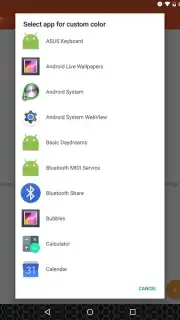
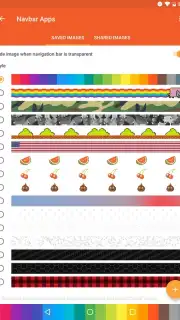
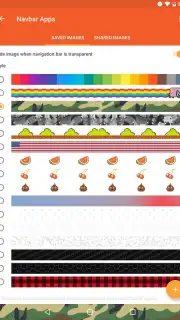
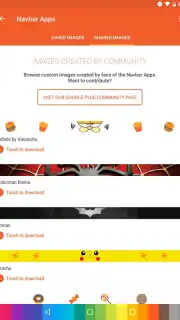
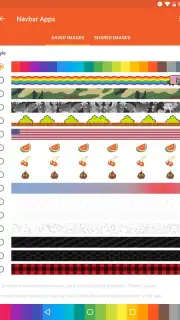
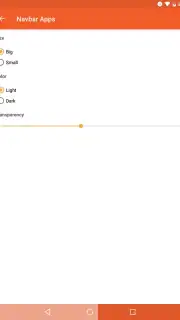
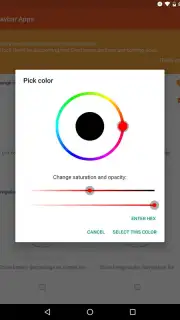
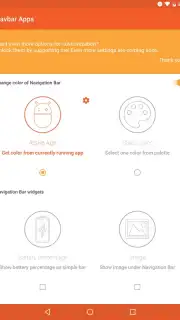
The application functions primarily as a visual and interactive overlay, granting control over the bar's background. Users can apply a solid color, select from included texture packs such as camouflage patterns or the popular Nyan Cat motif, or set a custom image from the device's gallery. A practical automation feature allows the bar's color to dynamically synchronize with the current application's title bar, creating a cohesive visual flow. Beyond aesthetics, the utility extends to the navigation buttons themselves; their standard 'Back,' 'Home,' and 'Recent Apps' functions can be supplemented or modified with additional quick-action commands. A notable functional add-on is the optional integration of a persistent battery level indicator directly into the bar, converting it into an information panel. The developer notes that an optional premium upgrade, referred to as Turbo, is available to unlock a broader suite of features and configurations, and the core application experience is maintained without advertisement interruptions.
- No root access required
- Dynamic color synchronization
- Custom image and texture support
- Enhanced button functionality
The application delivers a specific set of modifications directly to a system component many consider unchangeable. For a detailed examination of its configuration options and overlay behavior, proceed to install. Download the mobile app now.
A data connection may be required for initial setup and optional feature access. The app may offer in-app purchases for premium functionality.
Information
| Version | 3.0.1 |
| Developer | Damian Piwowarski |
| Requirements | Android Android + 5.0+ |
| Updated | 17.03.2026 |
| Size | 8.58 MB |
| Package | pl.damianpiwowarski.navbarapps |
| Signature | 657d8709a8923fb2f9236dcb15bfe0bb |
| Architecture | universal |


