


anWriter Free HTML Editor screenshots (3)
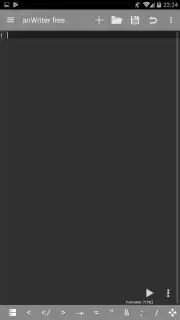
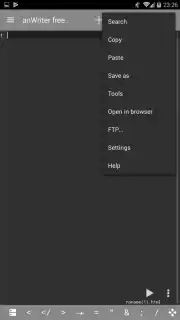
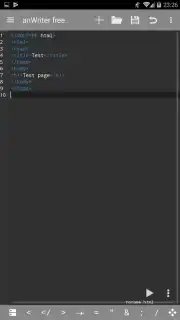
Description anWriter Free HTML Editor
Unlock Professional Coding Power Directly on Your Mobile Device
anWriter Free HTML Editor transforms your smartphone into a fully-featured mobile development studio. This powerful application provides a streamlined, efficient environment for writing, editing, and testing source code from anywhere, eliminating the need to be tethered to a desktop computer for on-the-go programming and quick fixes.
Core Functionality and Advanced Tools
This editor delivers a comprehensive suite of features designed for real-world development workflows. It offers deep syntax highlighting and intelligent auto-completion for a vast array of programming and markup languages, dramatically speeding up your coding process by predicting tags, functions, and properties. Beyond mere editing, the app integrates a dedicated in-app web browser for instant live previews of your HTML, CSS, and JavaScript projects, allowing you to see changes render in real-time as you code. For debugging, a built-in JavaScript console is readily available to output logs, test scripts, and identify errors directly within the editing environment, creating a seamless code-test-debug loop on a single screen.
The support extends far beyond standard web development. While expertly handling HTML5, CSS3, JavaScript (including jQuery and Angular frameworks), and Bootstrap, anWriter also provides capable editing support for system and application programming languages like C, C++, Java, and Python, as well as SQL for database queries and LaTeX for document typesetting. This makes it an exceptionally versatile tool for students, developers, and IT professionals who work across multiple coding disciplines.
- Extensive Language Support: Write and edit code in HTML, CSS, JavaScript, C++, Java, Python, SQL, LaTeX, and more.
- Intelligent Auto-Completion: Accelerate coding with smart suggestions for tags, functions, and code blocks.
- Integrated Live Preview Browser: Instantly render and test your web projects within the app without switching tools.
- Built-in JavaScript Console: Debug scripts, view outputs, and check for errors in a dedicated console window.
- Syntax Highlighting & Management: Navigate code easily with color-coded syntax for improved readability and structure.
Download the anWriter Free HTML Editor mobile app now! Exclusive access for new users includes a streamlined setup and immediate productivity—transform your phone into a development workstation today. This limited-time offer ensures you get the premier mobile coding experience.
Disclaimer: This application requires an active internet connection for certain features, including potential updates and additional library fetches. It may contain in-app purchases (IAP) for premium features or the removal of limitations. Data usage may apply when using the live preview and browser functionalities. Please review the app's terms of service and privacy policy for details on data collection and usage. This tool is intended for users familiar with programming concepts; age restrictions may apply.
Information
| Version | 2.0.1 |
| Developer | Ahad Ali Inc |
| Requirements | Android Android 5.0+ |
| Updated | 07.09.2026 |
| Size | 2.66 MB |
| Package | com.ansm.anwriter |
| Signature | 96:9D:41:D6:4B:57:4C:6B:45:13:15:14:5B:7A:6F:8C:8B:E1:60:A2 |


