


AnyDesk plugin ad1 screenshots (9)





Description AnyDesk plugin ad1
Streamlining Remote Device Management for Professional Use
Managing remote access efficiently often requires navigating cluttered interfaces or dealing with standalone utilities that disrupt workflow. The AnyDesk plugin ad1 addresses this by functioning as a dedicated extension within the AnyDesk ecosystem. Its primary operational purpose is to augment the core AnyDesk application, providing a centralized control point for remote access permissions and session management directly from the main app's navigation menu. This integration eliminates the need to switch between separate programs, thereby reducing desktop clutter and potential points of failure during a remote connection sequence.
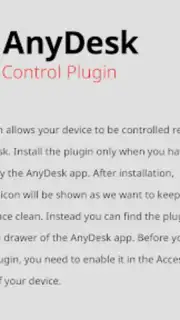
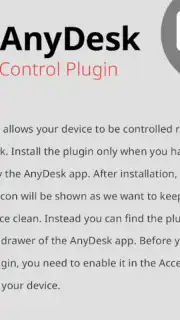
The plugin's installation initiates a one-time configuration process within the device's system accessibility settings, a necessary step to grant the required permissions for remote control functionality. Once enabled, it operates with a minimalistic design that does not impose on the primary AnyDesk interface, maintaining the application's clean visual layout. The utility leverages the underlying AnyDesk protocol to facilitate connections, meaning performance and security are contingent on the host AnyDesk application's current version and configuration. A notable operational aspect is the advertised absence of advertising within the plugin's interface and the mention of enhanced features via a 'Turbo' mode, which typically correlates with performance improvements like higher frame rates or reduced latency in the remote session, depending on the user's AnyDesk subscription tier.
From a technical standpoint, this plugin is less a standalone tool and more a gateway module. It does not create a new remote access capability but rather unlocks and streamlines specific administrative functions within the established AnyDesk framework. Its value is in consolidation; by placing access controls within the main application's structure, it potentially reduces setup time for new devices and simplifies the process for users who regularly manage multiple remote endpoints. The experience is designed for users who already rely on AnyDesk and seek a more integrated, less fragmented method for activating and controlling remote access on the device where the plugin is installed.
- Seamless Navigation Integration: The plugin embeds its controls directly into the AnyDesk app's menu for immediate, organized access.
- One-Time Accessibility Configuration: Requires a single permissions setup in system settings to authorize future remote management functions.
- Turbo-Enhanced Performance: Advertises improved connection quality and features without interface advertisements, dependent on subscription.
Optimize your remote administration workflow by integrating control directly into your primary access tool. Download the AnyDesk plugin ad1 now to consolidate your management functions.
Disclaimer: This application requires a stable internet connection and integration with a main AnyDesk client. Functionality of certain features, including Turbo mode, may depend on in-app purchases or subscription plans within the AnyDesk ecosystem.
Information
| Version | 1.7.4 |
| Developer | AnyDesk Software GmbH |
| Requirements | Android Android 10+ |
| Updated | 14.09.2026 |
| Size | 1.25 MB |
| Package | com.anydesk.adcontrol.ad1 |
| Signature | 91d3f68e3e90260358dc3491ee34ec1b6cf51fe8 |


