

App Hider screenshots (4)

Description App Hider
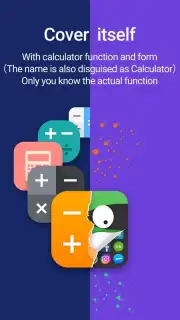
Ever wish you could keep certain apps completely off your main screen, invisible to anyone else who might glance at your phone? App Hider makes that precise level of privacy a simple reality. This tool transforms how you manage your digital space, allowing you to seamlessly move applications into a separate, secured interface. It’s about taking back control over what’s visible on your device, ensuring your personal apps remain exactly that—personal.
A Closer Look at How App Hider Works
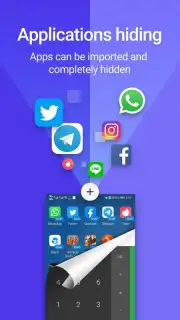
The process is designed for immediate use without any technical hurdles. Upon launching App Hider, you are greeted with a straightforward option to add applications. Tapping the ‘plus’ icon reveals a comprehensive list of every app installed on your Android device. From this list, you make your selections, choosing which apps to transfer into the protected environment App Hider creates. The selected apps, along with their icons, are then removed from your standard app drawer and home screens, relocating to this secondary, access-controlled interface.
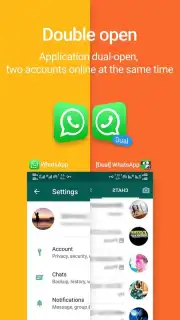
This means that not only can unauthorized users not open these specific applications, but they also remain entirely unaware the apps are even installed on the device. The primary function provides a robust layer of privacy for messaging platforms, social media, banking apps, or any software you prefer to keep discreet. Beyond this core utility, App Hider offers a powerful secondary feature: application cloning. This function lets you run two separate instances of the same app on a single device, which is perfect for managing dual accounts on popular messengers and social networks simultaneously without the need to constantly log in and out.
Key Features at a Glance
- Hide any app without root access
- Create a private, secondary interface
- Clone apps for dual account use
- Intuitive, one-tap setup process
The combination of stealth and utility positions App Hider as a essential tool for anyone valuing their digital privacy or needing efficient account management. The interface operates smoothly, maintaining the full functionality of your hidden apps within their secure space. Experience a new standard of app management where you decide what stays visible.
Download App Hider now and instantly secure your private applications! Transform your phone into a truly personal device today—get it immediately!
Disclaimer: This application requires an internet connection for initial setup and certain functions. The app may contain in-app purchases. Use of this app must comply with local laws and is intended for users over the age of 13. Data usage may apply depending on the hidden or cloned applications in use. The developer is not responsible for how the software is utilized.
Information
| Version | 3.4.5_3784ff920 |
| Developer | Hide Apps (NO ROOT) |
| Requirements | Android Android + 5.0+ |
| Updated | 17.03.2026 |
| Size | 19.68 MB |
| Package | com.app.hider.master.pro |
| Signature | 89a0a281693830927f7a6c2f7c0b6946 |
| Architecture | armeabi-v7a, x86, arm64-v8a, x86_64 |


