


Apple Keyboard screenshots (8)

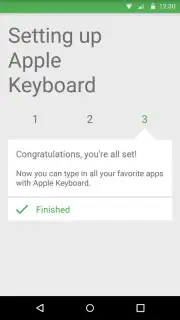
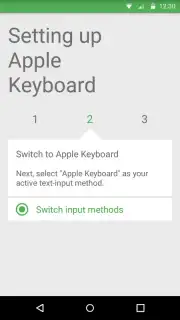
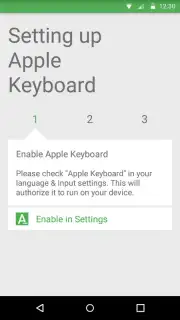




Description Apple Keyboard
Ever wished your Android keyboard felt as sleek and responsive as the one on a premium device? Imagine typing with a fluid, elegant interface that transforms every message into a seamless experience.
A Premium Typing Experience, Redefined
This keyboard brings a refined aesthetic and smooth performance to your Android device. You navigate a clean, intuitive layout designed for speed and accuracy, with keypresses that feel satisfyingly precise. The design prioritizes clarity, reducing visual clutter so you can focus on your words, not the keys.
Beyond its looks, the keyboard is built for how you actually communicate. It learns your writing style over time, offering predictions that feel personal and relevant. Swift gesture typing lets you glide across the letters for faster input, while robust autocorrect quietly fixes slips without interrupting your flow. It’s about creating a typing environment that feels both powerful and effortlessly natural.
Why You'll Keep Using It
- Sleek, Minimalist Design: Enjoy a clean, visually pleasing keyboard layout that reduces distraction and feels premium.
- Smart Word Prediction & Correction: Experience AI-assisted typing that learns your habits for faster, more accurate messages.
- Smooth Gesture Typing: Glide your finger across the keyboard for rapid, fluid text input without lifting for every letter.
Stop adapting to a clumsy keyboard. Download the Apple Keyboard app now and give your phone the premium typing upgrade it deserves.
Heads up: you'll need wifi for initial setup and updates. Some premium themes or advanced features may be extra. Requires Android 4.1 or later.
Information
| Version | 2.5.0 |
| Developer | Arvin Apps |
| Requirements | Android Android + 4.1, 4.1.1+ |
| Updated | 17.03.2026 |
| Size | 13.73 MB |
| Package | com.arvin.applekeyboard |
| Signature | 16f1c2a2334c3412e7d595bc8e24118a |
| Architecture | universal |


