


Apple Music screenshots (9)



Description Apple Music
Your Personal Music Universe, Streamed Directly to Your Android
Imagine a world where every song ever recorded is at your fingertips, curated to your exact taste and seamlessly integrated into your daily life. This is the reality offered by the Android version of Apple Music, a direct portal to one of the planet's most extensive digital music libraries. Launched in 2015, this platform delivers a comprehensive audio ecosystem, placing over 100 million tracks alongside live radio and a vast podcast directory on your device. It stands as a formidable alternative to services like Spotify or Amazon Music, built with a focus on deep catalog access, intelligent discovery, and multi-device harmony.
Core Functionality and Streaming Architecture
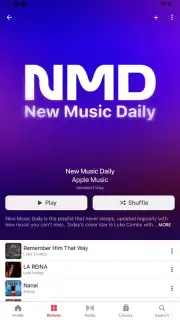
Access to the service requires an Apple ID login, which synchronizes your library, preferences, and playlists across any compatible device. Upon authentication, the application presents a dynamic interface populated with algorithmic recommendations. These are generated based on your listening history, explicit likes, and followed artists. The platform's editorial team and algorithms construct countless playlists that blend your established favorites with similar tracks, serving as a primary engine for new music discovery. The catalog is updated in real-time as new singles and albums are released globally. Users can subscribe to any artist profile to receive instant notifications and updates when that creator publishes new content, ensuring you never miss a release.
Playback Controls, Synchronization, and Offline Modes
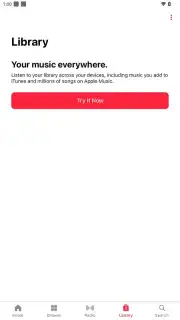
Track playback begins automatically upon selection. The player interface provides standard transport controls: play, pause, skip to next track, and return to previous track. A critical technical feature is the service's deep synchronization across the Apple ecosystem and Android. Using the same account, you can initiate playback on an Android device and seamlessly hand off the audio stream to an iPhone, iPad, or Mac, or vice-versa. The "Now Playing" screen displays synchronized lyrics in real-time for a vast portion of the catalog. For offline access, any song, album, or playlist can be downloaded directly to your device's storage. This creates a local copy that remains available for playback without an active internet connection, managing data usage and enabling listening in areas with poor connectivity.
Content Organization: Playlists, Radio, and Podcasts
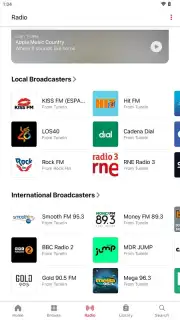
User navigation is facilitated through multiple content layers. Beyond personalized playlists, the application provides access to genre-specific playlists, charts of top-streamed songs in your country or globally, and automatically generated mixes like "Favorites Mix" or "Chill Mix." Users have full capability to create, edit, and share their own custom playlists. The service includes a dedicated radio section featuring live, DJ-hosted stations like Apple Music 1, broadcasting continuous music and artist interviews. A separate, integrated podcast directory offers a vast selection of spoken-word content across all genres. Notably, access to Apple Music radio stations and the podcast catalog is available without a paid subscription, though on-demand song playback is not.
Subscription Models and Service Tiers
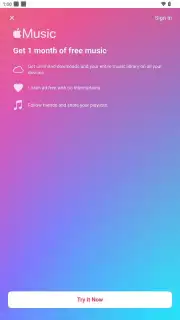
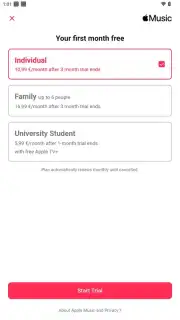
Apple Music operates on a mandatory subscription model; there is no free, ad-supported tier for on-demand music streaming. Two primary paid plans are available: an Individual plan for single-account use and a Family plan supporting up to six separate accounts under one subscription. A verified Student plan is offered at a discounted rate, providing full access at a reduced cost. The subscription fee unlocks the entire song and music video catalog, enables unlimited skips, permits offline downloads, and allows for seamless music handoff between devices.
- Access to over 100 million songs.
- Download music for offline playback.
- Listen to live radio and podcasts.
- Sync your library across all devices.
Do not settle for a fragmented music experience. Download the Apple Music mobile app for Android now and claim your universal access pass to the entire world of music. Install it immediately to start streaming!
Disclaimer: This application requires a persistent internet connection for full streaming functionality and initial download of content. A paid subscription is mandatory to access the core music streaming library and features. The app may contain in-app purchases for subscription management. Data charges may apply for streaming and downloads; use offline mode to manage data usage. User account creation and age verification are required. The service's availability and specific catalog may vary by region.
Information
| Version | 5.1.2 |
| Developer | Apple |
| Requirements | Android Android + 10+ |
| Updated | 17.03.2026 |
| Size | 134.94 MB |
| Package | com.apple.android.music |
| Signature | 34b64f26220ea050bf5cdc96b07febd5 |
| Architecture | armeabi-v7a, x86, arm64-v8a, x86_64 |


