

Firefox Lockwise screenshots (8)

Description Firefox Lockwise
Your Passwords, Secured and Synced, Without the Master Key Hassle
Managing dozens of unique, strong passwords across devices often means entrusting them to a third-party service or struggling with insecure, repeated codes. Firefox Lockwise addresses this core digital security dilemma by leveraging the trusted Firefox ecosystem. It functions not as an independent vault, but as a streamlined, secure manager for the passwords already saved in your Firefox browser, granting you organized access on your Android device. The experience is one of consolidated control, removing the friction from using robust credentials whether you're logging into a service on your phone or need to recall a password for use elsewhere.
Core Mechanics and Integrated Tools
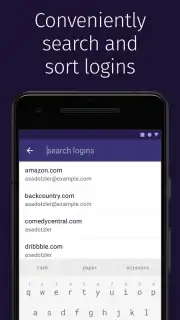
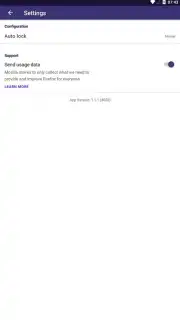
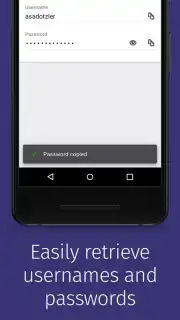
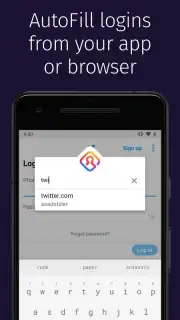
The application centers on providing direct, secure access to your Firefox-synced password library. Upon authentication, you are presented with a clean, searchable list of saved logins, each entry containing the username, password, and associated website. A primary mechanic is the built-in password generator, which allows you to create strong, randomized passwords on the fly when signing up for new services directly within the app. For convenience, the app can be integrated with Android's autofill framework, enabling seamless credential insertion into other apps and mobile browsers. Security is maintained through mandatory device authentication—using a PIN, fingerprint, or pattern—to access the vault, ensuring that even if your phone is unlocked, your passwords remain protected.
Key Operational Advantages
The advantage of Firefox Lockwise lies in its focused utility and principled design. It avoids the feature bloat of comprehensive suite-style managers, offering a fast, no-frills interface dedicated solely to password access and generation. As a product from Mozilla, a non-profit advocate for internet health, it incorporates a privacy-first stance; the architecture is designed to limit data exposure and does not monetize your personal information. Performance is streamlined for quick retrieval, and the visual design is clean and legible, prioritizing clarity over decorative elements to help you find the needed login without distraction.
- Sync with Firefox: Automatically access passwords saved in your Firefox browser across all synced devices, maintaining a unified vault.
- On-Device Security: Protects your logins with mandatory local authentication via PIN, fingerprint, or pattern before any access is granted.
- Integrated Password Generator: Creates strong, unique passwords directly within the app to upgrade your credentials for new or existing accounts.
Consider downloading Firefox Lockwise if you are a Firefox user seeking a dedicated, privacy-conscious tool to manage your synced passwords securely on your Android device.
An internet connection is required for initial sync. The app itself is free, with no in-app purchases.
Information
| Version | 4.0.3 |
| Developer | Mozilla |
| Requirements | Android Android + 7.0+ |
| Updated | 17.03.2026 |
| Size | 35.47 MB |
| Package | mozilla.lockbox |
| Signature | e51c31dd0a2652cc591be6f690aa6f02 |
| Architecture | armeabi, armeabi-v7a, mips, x86, arm64-v8a, mips64, x86_64 |


