


Applock Pro - App Lock & Guard screenshots (12)



Description Applock Pro - App Lock & Guard
Is Your Personal Data Truly Secure on Your Shared Device?
Applock Pro - App Lock & Guard provides a dedicated security layer for Android, functioning as a digital vault for your applications and private files. It addresses the common vulnerability of unlocked smartphones, where sensitive information within messaging, social media, banking, or gallery apps is accessible to anyone who handles the device. This tool operates by placing a customizable lock—be it a PIN, pattern, or fingerprint—on any application you select, transforming standard app access into a controlled, permission-based entry point.
Core Security Mechanics and Feature Set
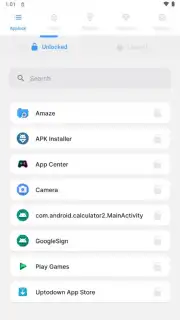
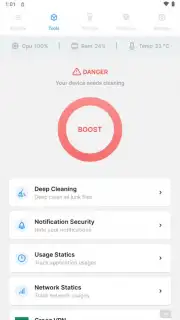
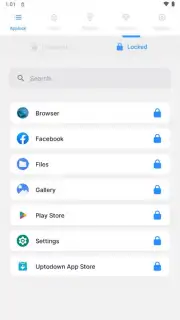
The primary function is selective application locking. Upon installation, you are presented with your device's complete app list. The process involves selecting individual applications and assigning a locking mechanism to each. The lock engages immediately upon exiting the targeted app, requiring authentication upon the next launch attempt. Beyond basic app locking, the utility includes a photo and video vault feature. This allows you to move sensitive media from your default gallery into a secured, encrypted space within Applock Pro, which is itself protected by the master lock. An intruder selfie function can be activated to capture an image of anyone who inputs an incorrect lock code, providing visual evidence of unauthorized access attempts. The system is designed to run with minimal battery impact and integrates with the device's native security protocols for fingerprint authentication where supported.
Operational Advantages and User Experience
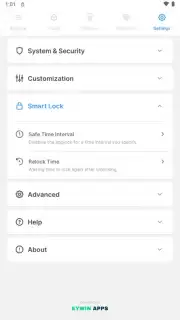
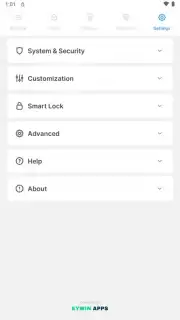
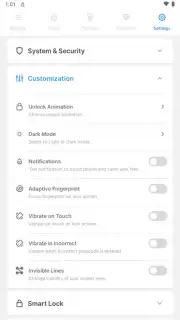
The interface prioritizes straightforward configuration, avoiding complex security menus that can deter everyday use. Performance is tuned to prevent noticeable lag when launching locked applications, maintaining the device's standard responsiveness. A significant design consideration is the app's ability to resist uninstallation by unauthorized users; it typically requires the master password to be removed from the device settings. The visual design is utilitarian, focusing on clear lists, toggle switches, and settings menus that convey functionality over aesthetic flair. This approach ensures that the security measures are robust without becoming obtrusive to the legitimate device owner's daily usage patterns.
- Selective App Locking: Apply PIN, pattern, or fingerprint security to any individual application installed on your device.
- Private Media Vault: Create an encrypted gallery within the app to hide photos and videos with an additional layer of protection.
- Intruder Detection System: Automatically captures a front-camera photo after multiple failed unlock attempts as a security alert.
- Stealth Mode Operation: Offers options to hide the Applock Pro icon from the app drawer for discreet security management.
- Advanced Lock Triggers: Configure automatic re-locking based on time delays or specific system events like screen timeout.
Exclusive access for the first users: Download Applock Pro today to activate advanced device security at no initial cost. This limited offer provides full feature access to establish your complete app protection setup immediately.
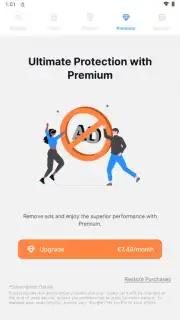
Disclaimer: Applock Pro - App Lock & Guard requires an internet connection for specific functions and may offer in-app purchases. The app requires Android 7.0 or higher. Use of this tool is subject to your local laws regarding privacy and surveillance. The intruder photo feature must be used in compliance with applicable regulations. The developer is not responsible for data loss. Network and device permissions are required for full functionality. Please use responsibly.
Information
| Version | 5.7.7 |
| Developer | Eywin Apps |
| Requirements | Android Android 7.0+ |
| Updated | 15.09.2026 |
| Size | 107.35 MB |
| Package | com.ibragunduz.applockpro |
| Signature | 0a3b73de338a82d77f75e7cc41d45b988eb42621 |
| Architecture | armeabi-v7a |


