

AR Drawer Pro screenshots (5)
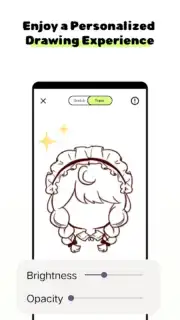
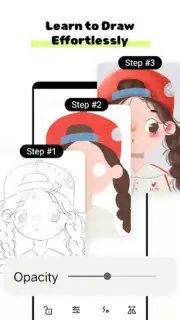
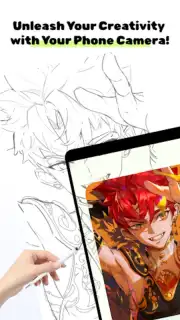
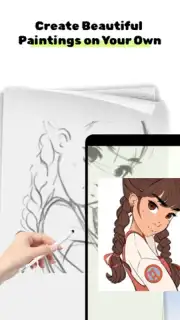
Description AR Drawer Pro
What if you could sketch your ideas directly onto the world around you, turning any surface into your canvas? AR Drawer Pro transforms this concept into a tangible, professional-grade creative suite, moving digital art from the confines of a screen into your immediate physical environment. It addresses the disconnect between imagination and reality, allowing designers, architects, and hobbyists to visualize concepts in true scale and context, fostering a deeper, more intuitive creative process.
Core Functionality & Tools
AR Drawer Pro operates as a precision augmented reality drafting studio. The primary mechanic involves using your device’s camera to anchor a virtual drawing plane onto any real-world surface—a wall, a table, or even an empty floor. Once anchored, you interact with a comprehensive set of vector and raster-based tools to create or import designs. The app convincingly maintains the perspective and scale of your artwork as you move around it, enabling you to walk through a sketched room layout or inspect a 3D model from every angle. Key tools include a pressure-sensitive brush for freehand sketching, shape primitives with real-world dimension input, and a layering system that allows for complex, editable compositions.
Key Advantages for the User
The application’s strength lies in its seamless integration of advanced AR stability with professional artistic controls. The tracking is robust, minimizing drift so your creations stay locked in place, which is critical for serious design work. The interface is clean and customizable, keeping tools accessible without cluttering the augmented view. Furthermore, it supports export in multiple high-resolution formats, ensuring the transition from AR concept to a client-ready blueprint or digital asset is fluid and lossless.
- Persistent AR Anchoring: Save and reload your projects in the exact same physical location for ongoing work.
- Real-World Measurement Tools: Draw to scale with input in meters or feet, and use guides for precise alignment.
- Multi-Format Export: Seamlessly export your work as PNG, PDF, or DXF for use in other professional software.
Start visualizing your ideas in their true context and scale. Download AR Drawer Pro now and bring your designs to life in the world around you.
Requires a device with a compatible camera and ARCore support. An internet connection may be required for certain features and updates. This app may contain in-app purchases for advanced toolkits and asset packs. Not intended for children under 13 due to complex tools. Data usage depends on project complexity and cloud sync features.
Information
| Version | 1.0.0 |
| Developer | Semar Digital Studio |
| Requirements | Android Android + 8.0+ |
| Updated | 17.03.2026 |
| Size | 77.02 MB |
| Package | com.ardashgdi.drawerprohughd |
| Signature | 5f217ffcd65fbfa3896e24731663c152 |
| Architecture | armeabi-v7a, arm64-v8a |


