

Arc File Manager screenshots (8)
Description Arc File Manager
Looking for a comprehensive file management solution that handles everything from basic organization to complex archive operations on your Android device?
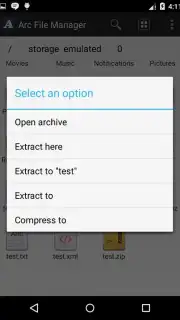
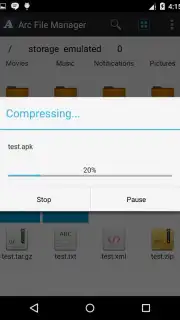
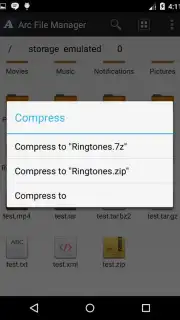
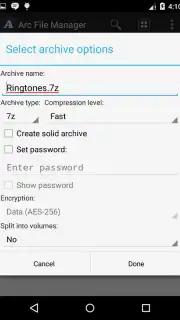
Arc File Manager provides a complete toolkit for direct control over your device's storage. The application facilitates all standard file operations, including opening, copying, moving, deleting, sharing, renaming, and viewing detailed file properties. Its core strength lies in advanced archive handling, powered by the 7zip library, enabling you to create, compress, and extract a vast range of formats including 7z, ZIP, and the modern RAR5. You can process over 30 different archive types directly from the interface, manage files larger than 2GB, and work with encrypted or multi-volume archives for secure data transfer.
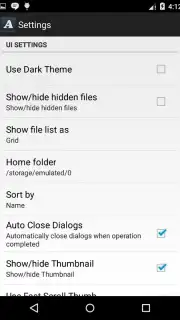
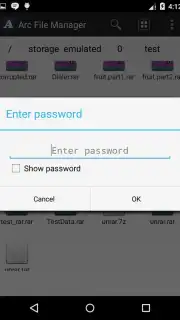
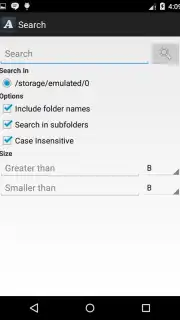
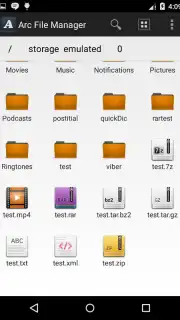
The interface offers both list and grid views for file browsing, integrated with a search function for quick location of items. For efficiency, you can create direct shortcuts on your home screen to specific files or bookmark frequently accessed folders. The manager supports adding or removing files from existing archives, partial extraction of selected contents, and can open archives directly from email attachments or download folders. Technical features include multi-threading support on compatible devices for faster operations, full Unicode compatibility, and seamless handling of password-protected files—where password prompts originate from the archive itself, not the application.
- Compress and extract archives in 7z, ZIP, RAR, RAR5, and over 30 other formats.
- Perform core file operations: copy, move, delete, rename, share, and view properties.
- Create and open encrypted archives or multi-volume archives for secure storage.
- Generate home screen shortcuts and bookmarks for instant access to key locations.
- Browse files in list or grid view with an integrated search tool for quick discovery.
Take full command of your device's file system and archive handling. Download Arc File Manager now to streamline your digital organization.
A data connection may be required for certain functions. This app may contain in-app purchases.
Information
| Version | 2.3.1 |
| Developer | Resonance Lab |
| Requirements | Android Android + 4.4+ |
| Updated | 17.03.2026 |
| Size | 7.69 MB |
| Package | com.resonancelab.arcfilemanager |
| Signature | 2bab1f86268c02f2c953ded69d146968 |
| Architecture | arm64-v8a |


