


SIM Dashboard screenshots (11)
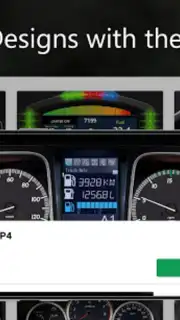
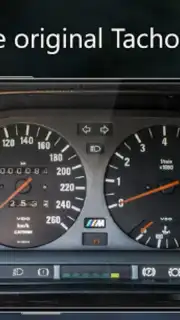
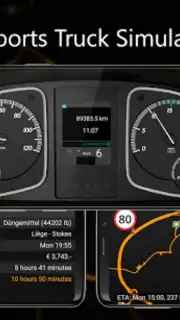
Description SIM Dashboard
Ever Feel Like Your Sim Racing or Flying Setup is Missing a Crucial Piece of the Puzzle?
You're deep into a tense final lap, your eyes glued to the main screen, but you need that telemetry data—your fuel level, your lap delta, your gear—without a single glance away. Or perhaps you're navigating a complex flight pattern or managing a sprawling farm, and critical information feels just out of reach. What if your phone or tablet, sitting right there, could transform into a fully customizable, high-performance dashboard that bridges that gap? That's the precise void SIM Dashboard fills. This isn't just an app; it's a hardware upgrade without the hardware price tag, turning your Android device into a vital secondary display that streams real-time data directly from your simulation, placing every crucial metric at your fingertips.
Your Ultimate Companion for Deep Simulation Gaming
SIM Dashboard operates on a brilliantly simple yet powerful concept: it establishes a seamless connection between your gaming PC or console and your Android device, using it as a dynamic canvas for information. Forget about clunky, static setups. This app delivers a live data feed, pulling directly from the game's own telemetry to show you exactly what's happening as it happens. The core experience is built around unparalleled customization. You are not getting a few preset gauges; you are gaining access to a professional-grade editor and a library of over 200 individual widgets. Think of it as building your own dream dashboard from the ground up, tailored for each specific game and your personal playstyle.
The compatibility list reads like a who's who of simulation genres, supporting over 40 titles across PC, PlayStation, and Xbox platforms. Whether your passion is shredding tires in Assetto Corsa or Forza Horizon, managing a logistics empire in American Truck Simulator, cultivating the land in Farming Simulator 22, or taking to the skies in Microsoft Flight Simulator 2020, SIM Dashboard integrates directly. This wide-ranging support ensures the app becomes a permanent fixture in your setup, regardless of which virtual world you inhabit. Connection is robust and flexible, working reliably over your local Wi-Fi network or via a direct USB cable for the lowest possible latency.
A Deep Dive into Customization and Control
Where SIM Dashboard truly excels is in handing you the tools to craft the perfect interface. The free version offers substantial functionality to get you started, but unlocking its full potential through in-app purchases removes all limitations, allowing for limitless dashboards and widgets per game.
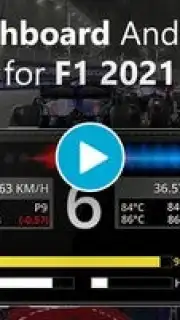
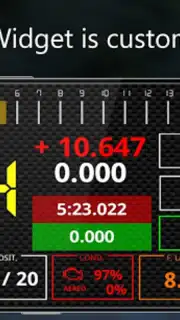
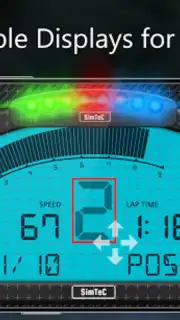
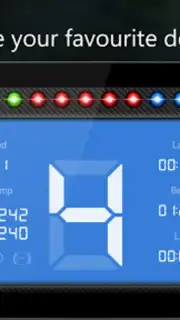
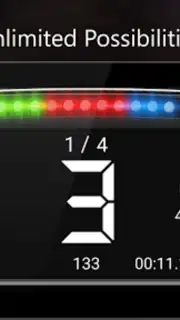
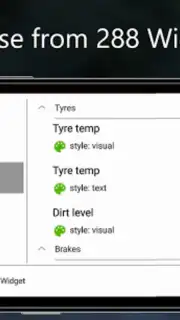
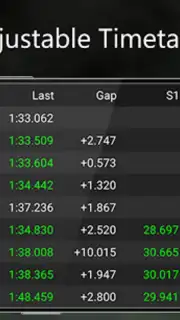
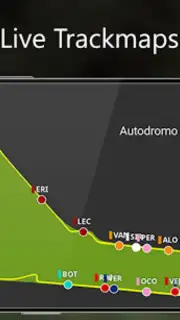
- A Vast Widget Library: Choose from essential indicators like a multi-stage RPM shift light, a detailed gear indicator, real-time fuel consumption and lap time displays, speedometers, tire temperature and wear, brake bias, and even a live track map that follows your vehicle's position in real-time.
- Pixel-Perfect Personalization: Every widget is deeply customizable. Adjust sizes, change colors and fonts to match your game's HUD or your own aesthetic, and even import your own background images or logos to create a truly unique look.
- Streamlined Workflow: Start quickly with a selection of community-made or official templates for popular games, or dive straight into the drag-and-drop editor to build a custom layout from a blank slate. Rearranging elements is intuitive and immediate.
- Precision Tuning: Configure widgets to display data in your preferred units (km/h or mph, °C or °F), fine-tune the sensitivity of LED rev lights, and set exact value ranges for warnings and alerts, making the dashboard not just informative but also interactive.
- Ad-Free, Focused Experience: The app operates without disruptive advertisements, ensuring your data displays remain clear and your immersion stays unbroken during critical moments.
This level of detail transforms your gameplay. You stop guessing about fuel strategy, you nail every shift point with the visual RPM cue, and you gain spatial awareness from the track map—all without the clutter on your primary screen. It’s about gaining a tangible, competitive edge and a deeper sense of connection to your virtual machine.
Claim Your Advanced Telemetry Advantage Now
Stop compromising with on-screen displays that block your view or struggling with information overload on a single monitor. Elevate your simulation rig to a professional standard today. Download SIM Dashboard and instantly unlock a new dimension of control, awareness, and customization in all your favorite games.
Download SIM Dashboard now and transform your device into your greatest gaming asset.
Disclaimer: SIM Dashboard requires a stable internet connection for initial setup and data communication between devices. The app offers in-app purchases to unlock premium features and remove layout restrictions. Full functionality requires the supported game to be running on a connected PC or console.
Information
| Version | 3.24.0.0 |
| Developer | stryder-it |
| Requirements | Android Android + 5.0+ |
| Updated | 17.03.2026 |
| Size | 46.14 MB |
| Package | de.stryder_it.simdashboard |
| Signature | 7041751ede50b324e7b35d0f3d62ad51 |
| Architecture | armeabi-v7a, x86, arm64-v8a, x86_64 |


