


Arduino Bluetooth - Control Arduino via Bluetooth screenshots (4)
Description Arduino Bluetooth - Control Arduino via Bluetooth
A New Era of Hardware Control from Your Pocket
The traditional barrier between mobile convenience and physical hardware projects has been a persistent challenge for makers and hobbyists. Managing an Arduino project often meant being tethered to a computer for serial monitoring, debugging, or sending simple control signals. This application, Arduino Bluetooth, directly addresses that constraint by transforming an Android device into a versatile wireless control hub and diagnostic terminal. It establishes a persistent, two-way communication channel with an Arduino board via a standard HC-05 or HC-06 Bluetooth module, effectively untethering the development and interaction process. This enables real-time project manipulation and data observation from anywhere within the Bluetooth signal range, shifting the workflow from a stationary desk to a dynamic, hands-on environment.
Core Functionality and Operational Mechanics
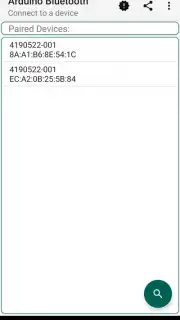
The application's primary function is to create a seamless serial bridge between the mobile device and the Arduino's microcontroller. Upon pairing with the Bluetooth module, the app presents a clean terminal interface that mimics a desktop serial monitor. Users can send custom strings, pre-defined commands, or numerical data directly to the board's serial buffer, which can be parsed by a sketch running on the Arduino to trigger events, control servos, or adjust LED brightness. Conversely, any data printed via Serial.print() statements in the Arduino code is received and displayed in the app's log in real-time, allowing for remote debugging and sensor data monitoring. The interface typically includes a message history, a customizable input field, and buttons for sending common commands or toggling digital pins, reducing the need for repetitive typing during testing phases.
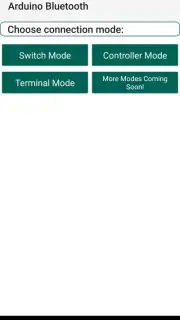
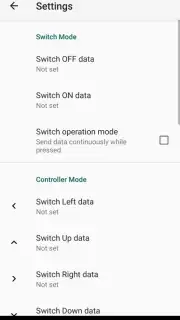
Beyond basic terminal emulation, the app provides structured control panels for common tasks. A dedicated mode often allows users to create custom dashboards with buttons, sliders, and switches, mapping each interface element to a specific command or data packet. This is particularly useful for creating permanent remote controls for robots, smart home prototypes, or data acquisition systems. The ability to save and load these custom control layouts means a project can have a tailored, professional control interface built in minutes. Performance is focused on low latency and connection stability, ensuring that command transmission and sensor feedback feel instantaneous, which is critical for responsive projects like RC vehicles or interactive installations.
Key Technical Advantages and User Experience
- Universal Serial Terminal: Provides full-duplex communication, sending commands and receiving live data logs from the Arduino serial monitor.
- Custom Control Panel Builder: Enables creation of personalized dashboards with draggable buttons, sliders, and switches for project-specific control.
- Direct Pin Manipulation: Features dedicated toggle switches to control Arduino digital pins (HIGH/LOW) and sliders for PWM analog writes without coding.
- Persistent Connection Management: Automatically saves paired devices and attempts reconnection, streamlining repeated development sessions.
- Lightweight and Efficient: Designed for minimal battery and processing impact on the mobile device, ensuring long usage sessions.
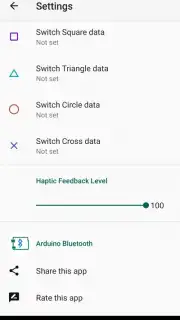
The application's utility is amplified by its straightforward, utilitarian design that prioritizes function over decorative elements. The layout is logically segmented, with clear distinctions between the terminal view, control panel, and settings areas. This reduces the learning curve for new users while providing the depth required for advanced prototyping. Its primary strength lies in its role as a wireless extension of the Arduino IDE's serial plotter and monitor, a tool that becomes indispensable for field testing, demonstrations, or controlling installations where a laptop is impractical.
Download the mobile app now to unlock wireless control of your Arduino projects. This is a limited-time opportunity for early adopters to integrate this essential tool into their workflow at no initial cost.
An active internet connection may be required for initial download. The application requires a Bluetooth-enabled Android device and a compatible Bluetooth serial module (e.g., HC-05, HC-06) connected to your Arduino board. Operation is subject to your device's hardware capabilities and Bluetooth range.
Information
| Version | 1.0-alpha release |
| Developer | Tejas Bhong |
| Requirements | Android Android + 4.4+ |
| Updated | 17.03.2026 |
| Size | 2.78 MB |
| Package | com.tejasb.arduinobluetooth |
| Signature | 948b634df2940bbc19ae5d3818017e5c |


