


ArtFlow screenshots (11)
Description ArtFlow
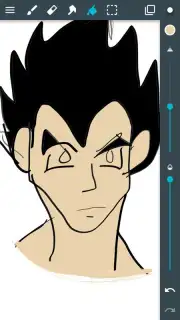
Imagine unlocking a professional digital art studio, not on a bulky desktop, but right in the palm of your hand. Your smartphone or Android tablet transforms from a communication device into a boundless canvas, waiting for your first stroke. This is the core experience offered by ArtFlow, an application designed to channel your creativity directly onto a mobile screen without compromise. It replaces the need for physical sketchbooks and pencils, providing a complete, portable toolkit for everything from quick doodles to intricate, multi-layered illustrations.
A Comprehensive Toolkit for Mobile Artists
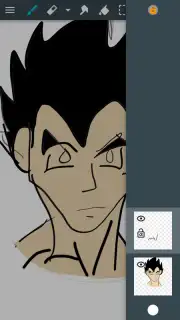
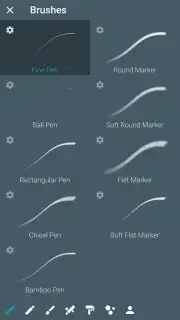
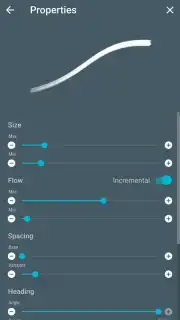
ArtFlow equips you with an extensive array of tools that rival desktop software. The foundation is a vast library of over 80 fully customizable brushes. You have precise control over each brush's behavior, adjusting not just size and opacity, but also texture, flow, and spacing to create the exact mark you envision, from a soft watercolor wash to a crisp ink line. The application supports true multi-layer workflows, allowing you to work with over a dozen layers simultaneously. You manage each layer independently, setting unique opacity levels and blending modes, and utilizing layer masks for non-destructive editing—a professional feature that gives you incredible flexibility to experiment and revise.
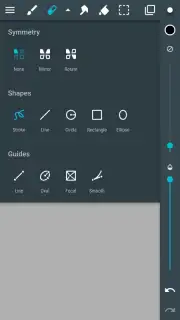
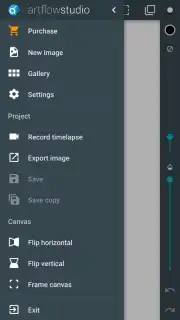
For complex compositions, the toolset extends far beyond brushes. You can incorporate precise geometric shapes, use advanced fill and gradient tools, and employ selection tools to manipulate specific areas of your artwork. When your masterpiece is complete, ArtFlow supports exporting in professional formats including PSD, PNG, and JPG. Saving as a PSD file with layers intact means you can seamlessly move your work to a computer for further editing in applications like Photoshop, making it a powerful part of a larger creative pipeline.
Key Features at a Glance
- Access a professional-grade selection of over 80 digital brushes, each with deep customization options for size, opacity, texture, and flow.
- Work with a powerful, non-destructive layer system supporting 10+ layers, individual opacity controls, and layer masks for complex artwork.
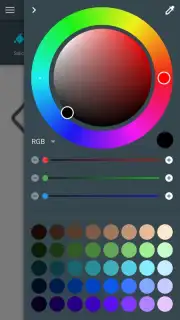
- Utilize a full suite of artistic tools including shapes, gradients, fill tools, and precise selection instruments.
- Export your final creations in high-quality PSD (with layers), PNG, or JPG formats for sharing or further editing.
- Experience an ad-free creative environment, with enhanced performance available for demanding tasks.
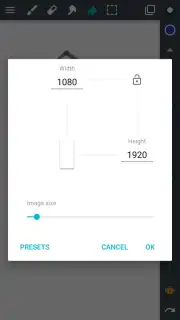
- Create on high-resolution canvases; note that the highest resolutions (2560x2560 and above) require a sufficiently powerful device for optimal performance.
Stop imagining your art and start creating it anywhere. Consider downloading ArtFlow to turn your everyday Android device into a serious digital sketchbook and painting studio.
Download mobile app now.
Internet required. IAP available.
Information
| Version | 2.9.40 |
| Developer | Artflow Studio |
| Requirements | Android Android + 8.1+ |
| Updated | 17.03.2026 |
| Size | 16.3 MB |
| Package | com.bytestorm.artflow |
| Signature | 0a66d2f2bac07ebd8155994accddf37c |
| Architecture | armeabi-v7a, arm64-v8a, x86_64 |


