


aShell screenshots (4)
Description aShell
Direct ADB Control Without a PC
Managing your Android device at a system level typically requires connecting to a computer and using the Android Debug Bridge (ADB). This process creates a dependency on external hardware and software setups, limiting your ability to perform critical tasks or diagnostics on the go. For developers, tinkerers, and power users, this lack of direct, mobile-based control can interrupt workflows and complicate device management.
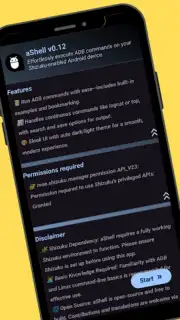
aShell is a dedicated mobile application that eliminates this dependency by providing direct access to ADB commands from your Android device. It operates as a local command-line interface, requiring the Shizuku environment to be active on your device. This setup grants the necessary elevated permissions for executing a wide range of system-level operations. The application is engineered as a lightweight tool that offloads complex task execution from graphical interfaces to a more efficient command-line process, thereby optimizing system functionality and providing granular control over the device's software environment.
Core Functionality and Operational Tools
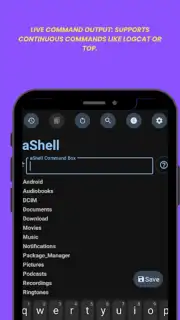
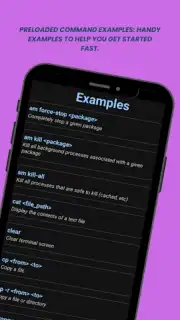
The application centers on the local execution of ADB commands through an integrated terminal. It includes a built-in collection of example commands, which serve as both a practical resource and a learning aid for understanding command syntax and common use cases. During command execution, the interface provides a live output feed. This feature is specifically designed for real-time monitoring of dynamic system processes, such as reviewing logcat diagnostic messages or tracking real-time system performance metrics.
To enhance productivity, the app includes utilities for managing command output. A search function allows you to filter results within the terminal to quickly locate specific lines of text or error codes. For record-keeping and analysis, any command output can be saved directly to a standard text file stored on the device's internal storage. The user interface is structured for efficiency, featuring a bookmarking system that lets you save and categorize frequently used commands for instant recall, eliminating the need for repetitive typing.
User Interface and System Integration
The application's design prioritizes functional clarity and user comfort. It supports a fully adaptable theme that includes both dark and light visual modes. This theme automatically synchronizes with your device's global system settings, ensuring visual consistency and reducing eye strain during extended use in different lighting conditions. The layout is optimized for touch interaction with a command-line interface, balancing information density with readable text formatting. Furthermore, the application maintains a clean operational environment by being completely free of advertising networks and trackers, ensuring unimpeded and focused usage.
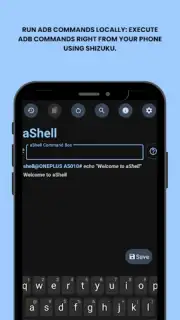
- Local ADB Command Execution: Run ADB and shell commands directly on your Android device without a computer connection.
- Live Output & Monitoring: View real-time feedback from commands like logcat for instant system process diagnostics.
- Output Management Tools: Search through results and save full command outputs to text files for later review.
Download this mobile app now! Transform your smartphone into a powerful debugging and control hub immediately. Get it today and unlock full system-level access!
Disclaimer: This application requires an active internet connection for initial setup and may require in-app purchases for future premium features. It must be used with the Shizuku environment and assumes user knowledge of ADB commands. Use responsibly, as improper commands can affect system stability.
Information
| Version | v0.24 |
| Developer | sunilpaulmathew |
| Requirements | Android Android + 7.0+ |
| Updated | 17.03.2026 |
| Size | 1.89 MB |
| Package | in.sunilpaulmathew.ashell |
| Signature | 525cf82451f01c7879405f92c4f3c9b7 |
| Architecture | universal |


