


ASTRO File Manager screenshots (7)
Description ASTRO File Manager
Imagine needing a specific document on your phone, only to find it buried in a maze of folders or locked within another app. ASTRO File Manager transforms that frustration into a streamlined process, providing centralized command over your device's entire digital ecosystem. This tool acts as a unified dashboard, connecting local storage, cloud services, and network shares into a single, navigable interface.
Core Functionality and System Integration
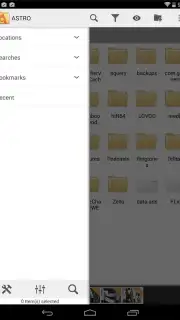
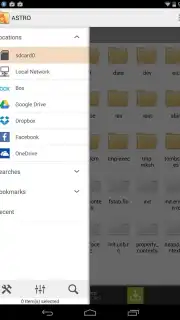
ASTRO File Manager delivers comprehensive file operations directly from your Android device. It enables full management of internal storage, SD card contents, and installed applications. The application establishes direct bridges to major cloud storage platforms, including Dropbox, Google Drive, and OneDrive (formerly Skydrive), allowing for seamless file synchronization and transfer between local and remote repositories. Furthermore, it supports configuration for local network access via WiFi, permitting remote browsing of your device's file system from a computer after initial setup.
Operational Tools and Supported Formats
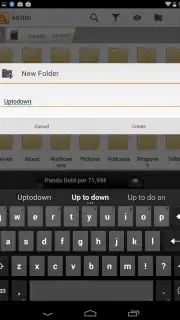
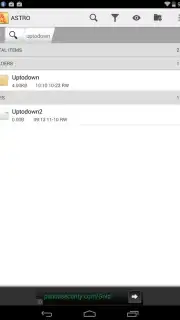
The application provides a complete suite of standard file manipulation commands. Users can execute copy, paste, move, delete, create, and rename functions across all connected storage locations. It includes a built-in archive utility for extracting compressed ZIP and RAR files. For sharing, files can be attached and sent directly via email. The manager also facilitates bandwidth control by allowing users to manage background data transfers over mobile (3G/4G) networks. The interface is designed to provide access to documents in various formats for preview and organization.
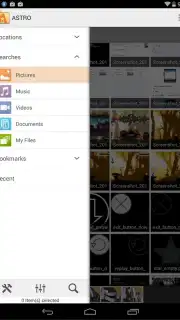
- Unified Cloud & Local Access: Manage files across device storage, Dropbox, Google Drive, and OneDrive from one interface.
- Complete File Operations: Perform copy, paste, move, delete, create, and rename actions on any file or folder.
- Archive Handling & Network Sharing: Extract ZIP and RAR archives and access your device storage remotely via WiFi.
- Direct Sharing & Transfer Control: Email files directly from the app and manage data usage for 3G/4G network transfers.
- Ad-Free Experience with Turbo: Utilize all advanced features without advertising interruptions for streamlined workflow.
We suggest trying ASTRO File Manager to consolidate your file management tasks into a single, powerful application. Consider downloading it for direct control over local, cloud, and network-based files.
Note: Certain features like cloud synchronization and WiFi remote access require an active internet connection. The app may offer optional in-app purchases for enhanced functionality.
Information
| Version | 8.15.3 |
| Developer | Metago |
| Requirements | Android Android + 6.0+ |
| Updated | 17.03.2026 |
| Size | 10.56 MB |
| Package | com.metago.astro |
| Signature | 30f6f4f99b38416834b68e6ef0b86fed |
| Architecture | universal |


