


Auto Clicker - Automatic tap screenshots (16)
Description Auto Clicker - Automatic tap
Struggling with Repetitive Tapping in Games or Apps?
Auto Clicker - Automatic Tap provides a direct solution for automating screen interactions on your Android device. This utility application enables you to simulate precise, repeated taps at user-defined intervals, eliminating the need for manual input in monotonous tasks. It is engineered specifically for creating custom macros and automating sequences within mobile applications, with particular utility in MMO games, RPGs, and other titles requiring repetitive actions.
Core Functionality and Setup
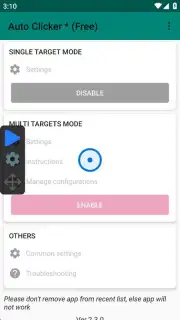
The application operates by utilizing the Android Accessibility Service API. No root access is required for full functionality. Initial setup involves granting a one-time permission to the service; once authorized, the clicker is ready for immediate configuration without any registration process. The interface provides granular control over tap timing, location, and sequence patterns.
Operational Modes and Customization
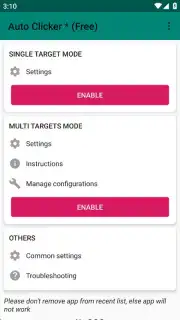
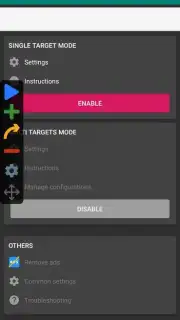
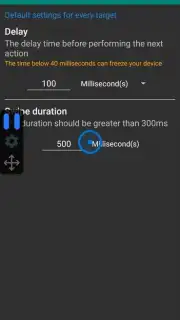
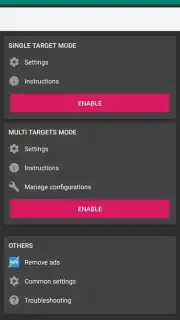
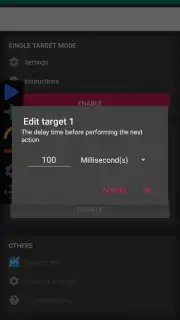
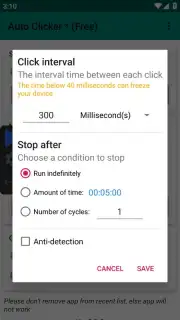
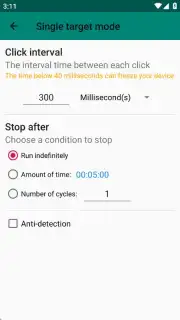
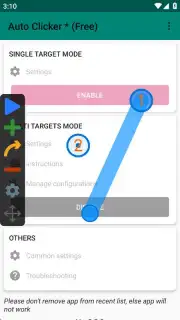
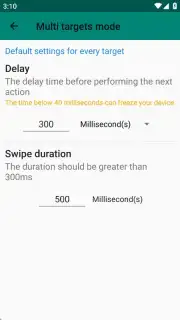
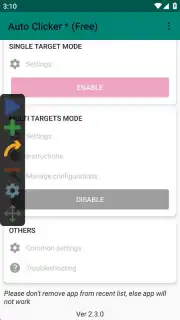
Two distinct operational modes are available for different automation complexities. In Single Target Mode, you configure a persistent tap at a single screen coordinate. The tap interval is adjustable down to the millisecond, with a default setting of 300 milliseconds between each simulated press.
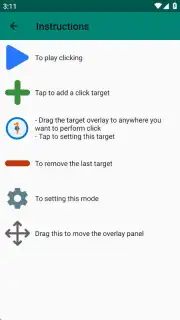
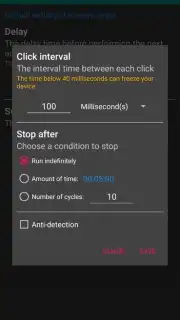
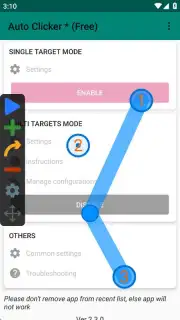
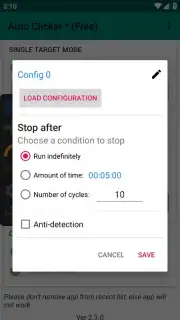
Multi Target Mode allows for advanced macro creation. This mode lets you place multiple tap points across the screen, defining a specific sequence and pathway. You can set individual intervals for each point and configure the entire sequence to loop a defined number of times or indefinitely. An integrated tutorial guides users through the process of building these multi-point scripts.
Practical Applications and Script Management
The primary application is for automating gameplay loops in online and offline games. This includes automated resource gathering, repetitive crafting actions, and simulated swipe patterns. You can program a character to complete a full circuit of actions—such as moving to a location, collecting items, and returning to a start point—without manual intervention.
Created macros can be saved locally within the app. These scripts are also exportable, allowing you to share complex automation sequences with other users of the application, facilitating community-driven content and strategy sharing.
- No root access or registration required
- Single and multi-point tapping modes
- Fully adjustable timing and intervals
- Save, export, and import custom scripts
Download this mobile app now! Stop wasting time on manual grinding and automate your tasks immediately. Get it from your app store and start creating macros today!
Heads up: you'll need wifi for most features. Some cool stuff is extra.
Information
| Version | 2.3.0 |
| Developer | True Developers Studio |
| Requirements | Android Android + 7.0+ |
| Updated | 17.03.2026 |
| Size | 4.28 MB |
| Package | com.truedevelopersstudio.automatictap.autoclicker |
| Signature | f282d5b8aa801ab13517ad1fe9dbc2b1 |
| Architecture | armeabi-v7a, x86, arm64-v8a, x86_64 |


