


AVD Android Video Downloader screenshots (4)
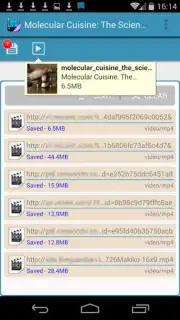
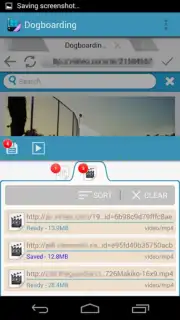


Description AVD Android Video Downloader
The Problem with Video Downloads on Android
Finding a video you want to keep on your Android device often leads to a frustrating process of incompatible websites, blocked downloaders, or apps buried in intrusive ads. You find the content, but the method to save it locally is either overly complex or simply doesn't work on the site you're using. This creates a gap between discovering media and actually owning it for offline viewing.
AVD Android Video Downloader: A Functional Analysis
AVD Android Video Downloader by MBFG presents a streamlined, no-frills solution to this specific problem. It functions as a dedicated tool with a narrow focus: capturing video streams from a wide array of websites, most notably YouTube, and saving them directly to your device's storage. The mechanics are deliberately simple. Upon launching the app and navigating to a video in your mobile browser, the download process is typically initiated automatically when playback starts, bypassing the need for complex copy-pasting of URLs or dealing with external download managers.
A key operational point is its handling of website restrictions. The app acknowledges that some platforms employ server-side filters to prevent downloads, while others offer no such barriers. Its effectiveness is therefore contingent on the specific site's architecture, making it a potent tool for permissible sources rather than a universal bypass. The absence of advertising within the core experience, a feature highlighted as part of its 'Turbo' benefit, is a significant functional advantage. It allows for an uninterrupted workflow where the user's attention remains on selecting and acquiring content, not on dismissing pop-ups.
While the app's interface offers minimal configuration options, this simplicity is its primary utility. It reduces the download process to its essential steps: find video, play video, acquire file. The described gesture control—a double-tap on the screen to fetch a video—exemplifies this minimalist interaction design. When evaluated against more comprehensive suites like Tubemate, AVD positions itself not as a direct competitor in terms of feature breadth, but as a lean, alternative utility focused purely on the download task. It sacrifices advanced editing or management panels for a singular, often effective, download action.
Core Feature Breakdown
- Direct YouTube and streaming site video download capability to internal storage.
- Automatic download initiation upon video playback for supported web pages.
- Ad-free operational environment facilitated by the app's Turbo mode.
- Minimalist user interface controlled by simple gestures like double-tapping.
- Lightweight alternative to more complex download manager applications.
The app provides a straightforward path to building a personal offline video library from the web. Start saving your videos today.
Download AVD Android Video Downloader now.
This application requires an active internet connection for video downloading. The developer may offer in-app purchases for additional features or services.
Information
| Version | 6.3.0 |
| Developer | MBFG |
| Requirements | Android Android + 7.0+ |
| Updated | 17.03.2026 |
| Size | 41.6 MB |
| Package | com.myboyfriendisageek.videocatcher.demo |
| Signature | 85db93cb359e069bb78dc107ac124c1d,d659214f319d76f992ec5b9503f29435 |
| Architecture | arm64-v8a |


