

Awesome icons screenshots (6)
Description Awesome icons
Tired of Your Phone Looking Just Like Everyone Else's?
You pick up your device dozens of times a day, but the grid of identical icons feels impersonal and dull. The standard look doesn't reflect your style, leaving your home screen feeling generic. What if you could transform that familiar grid into a truly unique expression of your personality with just a few taps? Awesome Icons is the customization tool that hands you complete control, allowing you to redesign your Android's visual identity from the ground up, starting with the very apps you use most.
Redesign Your Interface with Intuitive Precision
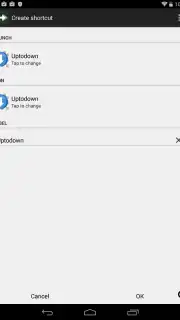
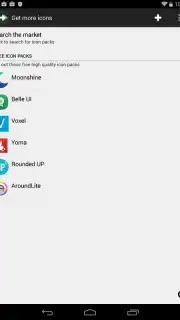
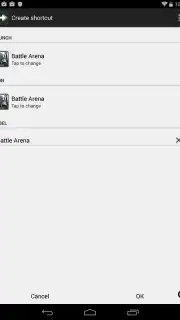
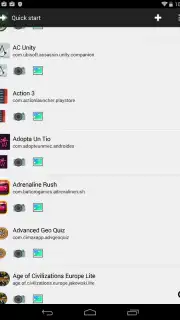
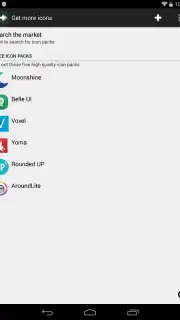
This app places a powerful yet straightforward toolkit directly into your hands. Upon launching, you are presented with a clean, immediately understandable list of all applications installed on your device. The intuitive layout means no time is wasted searching for options. A convenient dropdown menu grants instant access to a library of additional icon packs you have installed, with the ability to download new, free packs directly within the app through a single screen tap. The process of changing an icon is refreshingly direct: simply tap on the app icon you wish to customize. You are then presented with a clear set of choices to redefine its appearance.
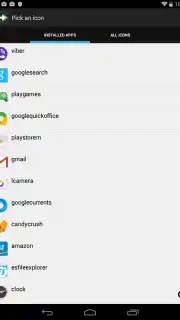
You can select a personal image from your device's gallery, capture a new photo in the moment for a truly custom creation, or browse and choose from any icon within your installed packs. Beyond the image, you also gain the ability to edit the text label beneath the icon, allowing for further personalization or cleaner, minimalist labels. This combination of features ensures that every element on your screen can be tailored to your exact preference.
Experience a Clean, Uninterrupted Customization Journey
A key aspect of the experience is the focused, clean environment the app provides. The interface is designed for efficiency, removing unnecessary clutter so you can concentrate on designing your perfect layout.
- Immediate Visual Overview: See all your apps and their current icons in one organized list from the moment you open the app, making selection fast and simple.
- Expanded Icon Library Access: Seamlessly switch between and manage all your installed icon packs through an easily accessible sidebar menu, streamlining your creative process.
- One-Tap Expansion: Discover and instantly download new, free icon packs without leaving the app, constantly refreshing your source of design inspiration.
- Multi-Source Icon Replacement: For each app, choose a new icon from your personal photos, a freshly taken picture, or a professional design from a curated pack.
- Complete Label Control: Edit or remove the text under any app icon, enabling you to create a purely visual layout or use custom names.
- Turbo-Enhanced Experience: Unlock a smoother, faster customization workflow with additional benefits, all within a completely ad-free environment for undisturbed creativity.
This application excels as a foundational tool for Android personalization. It empowers you to break away from the default look and craft an interface that is uniquely yours. Its utility is further amplified when used alongside other icon packs, acting as the essential engine that applies those beautiful designs directly to your home screen. The result is a device that feels truly personal, reflecting your taste every time you unlock it.
Start designing your distinctive home screen today. Download Awesome Icons now and claim your creative advantage!
Internet required. IAP available.
Information
| Version | 0.15.3 |
| Developer | Momo Apps |
| Requirements | Android Android + 8.0+ |
| Updated | 17.03.2026 |
| Size | 1.9 MB |
| Package | com.momocode.shortcuts |
| Signature | 79936e06320f249164bd6e4d18136b9b |
| Architecture | universal |


