


AZ Screen Recorder screenshots (19)




Description AZ Screen Recorder
Ever wished you could capture exactly what's happening on your Android screen with zero fuss? What if you could record your epic gaming moments, create flawless app tutorials, or save important video calls without needing any special technical permissions? AZ Screen Recorder turns your device into a seamless recording studio, putting high-quality video capture directly in your control.
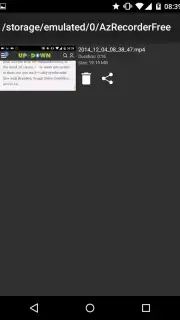
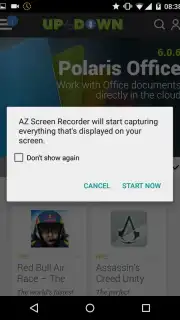
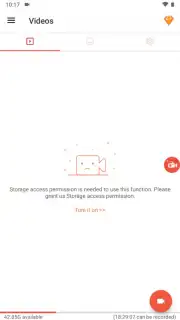
This tool delivers a remarkably clean recording experience. You launch the app to find a minimalist, intuitive interface where everything you need is just one tap away. A persistent floating control gives you instant access to start and stop recording, review your gallery, or adjust settings without ever leaving the app you're capturing. The recording process itself is beautifully unobtrusive; a small, movable indicator is the only sign that you're capturing every on-screen action in crisp detail. You can drag this indicator anywhere on the screen to keep it out of your way, ensuring your recordings are as clean as your gameplay or demonstration.
Core Features and User Experience
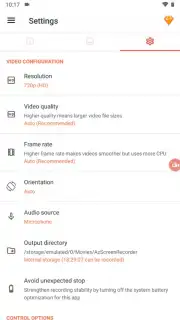
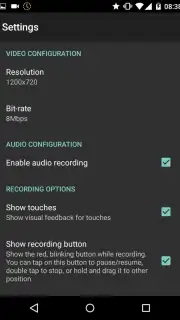
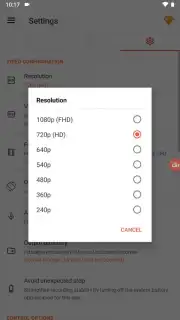
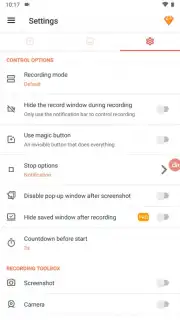
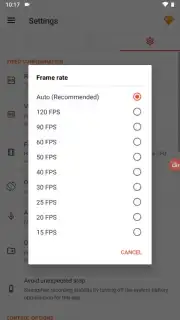
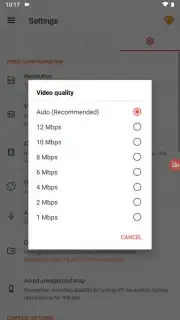
The power of AZ Screen Recorder lies in its combination of simplicity and robust functionality. You get professional-grade results without dealing with watermarks, forced time limits, or annoying frame drops that ruin the playback. The settings menu allows you to fine-tune the output to match your needs, letting you select the perfect resolution and quality for your project. Every action performed during a recording session is tracked, giving you a clear log of on-screen events which is invaluable for creating detailed guides or reviews.
Beyond basic recording, the application operates with impressive efficiency. It leverages a Turbo mode to enhance performance, ensuring the recording process itself doesn't slow down your device or the app you're using. The absence of disruptive ads within the core recording interface means your focus—and your recording—remains uninterrupted from start to finish.
What You Can Expect from AZ Screen Recorder
- Root-Free Recording: Capture your screen in full high definition without requiring root access on your Android device.
- Clean, Customizable Interface: A simple layout with four main controls for recording, settings, gallery, and exit, plus a movable recording indicator for a clutter-free screen.
- High-Quality Output: Record videos with no watermarks, no frame loss, and no arbitrary time limits on your recordings.
- Detailed Settings Control: Adjust final video quality and review a log of all screen actions that occurred during each recording session.
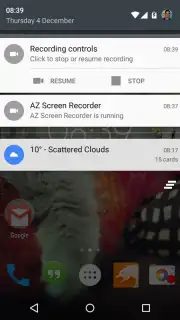
- Uninterrupted Workflow: Experience minimal intrusion with a discreet recording notification and options to minimize on-screen controls.
For anyone needing a reliable, high-fidelity screen recorder for Android, this app presents a compelling solution. You might enjoy the straightforward approach to capturing gameplay, tutorials, or any on-screen activity with professional clarity. Consider downloading AZ Screen Recorder if you value a clean recording process free from the typical limitations and clutter found in other apps.
Download the AZ Screen Recorder mobile app now to start capturing your screen in perfect quality.
Disclaimer: This application requires an internet connection for initial download and potential updates. The app may contain in-app purchase options. Please be aware of your mobile data usage when downloading and updating. Ensure your device meets the minimum requirement of Android 5.0 (Lollipop) or higher to use this app. User discretion is advised regarding recorded content and adherence to platform terms of service.
Information
| Version | 6.9.10 |
| Developer | AZ Screen Recorder |
| Requirements | Android Android 7.0+ |
| Updated | 16.09.2026 |
| Size | 104.97 MB |
| Package | com.hecorat.screenrecorder.free |
| Signature | c8f10367a85c3711d9755a984fc5b9203035c87e |
| Architecture | armeabi-v7a |


